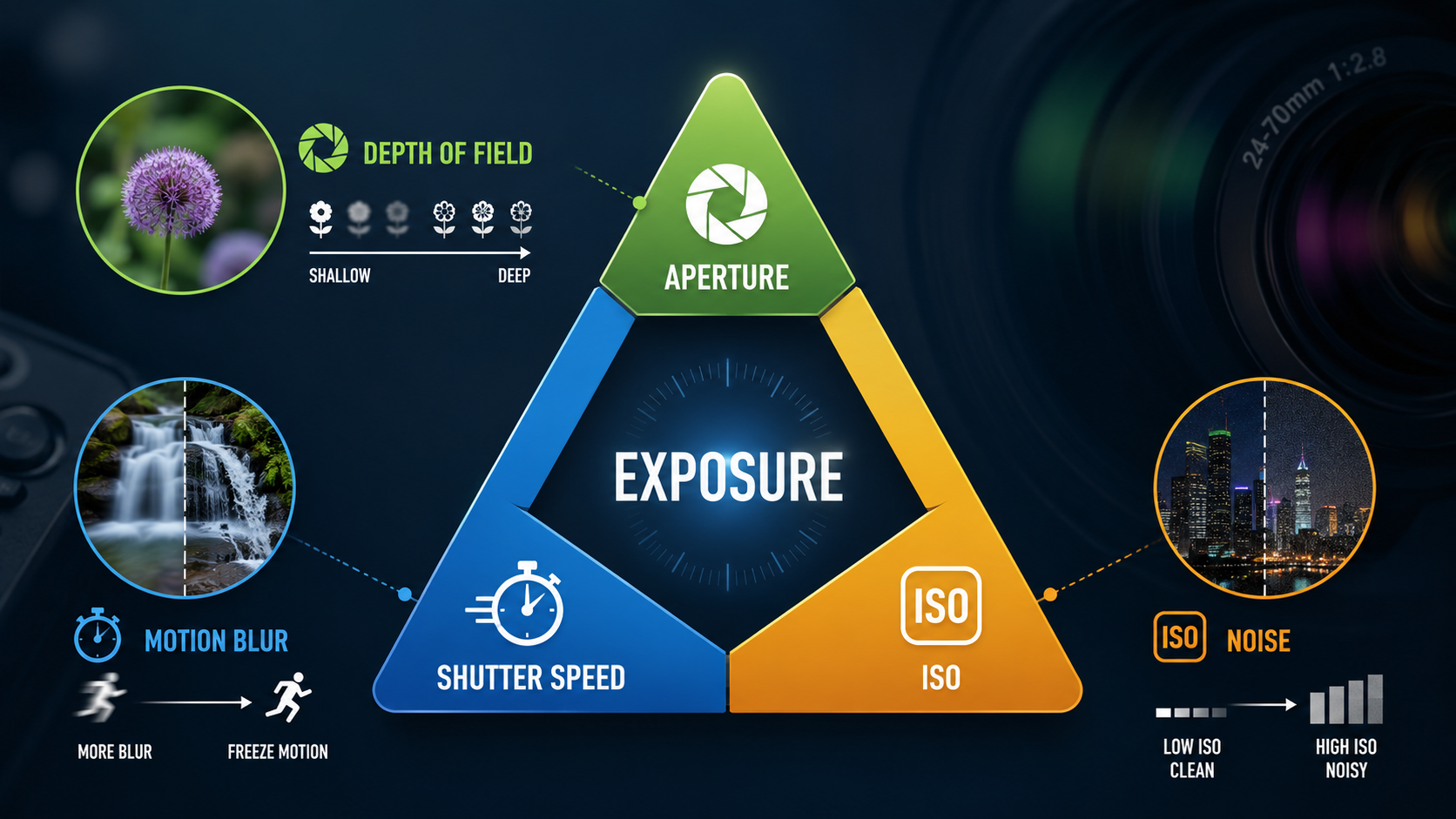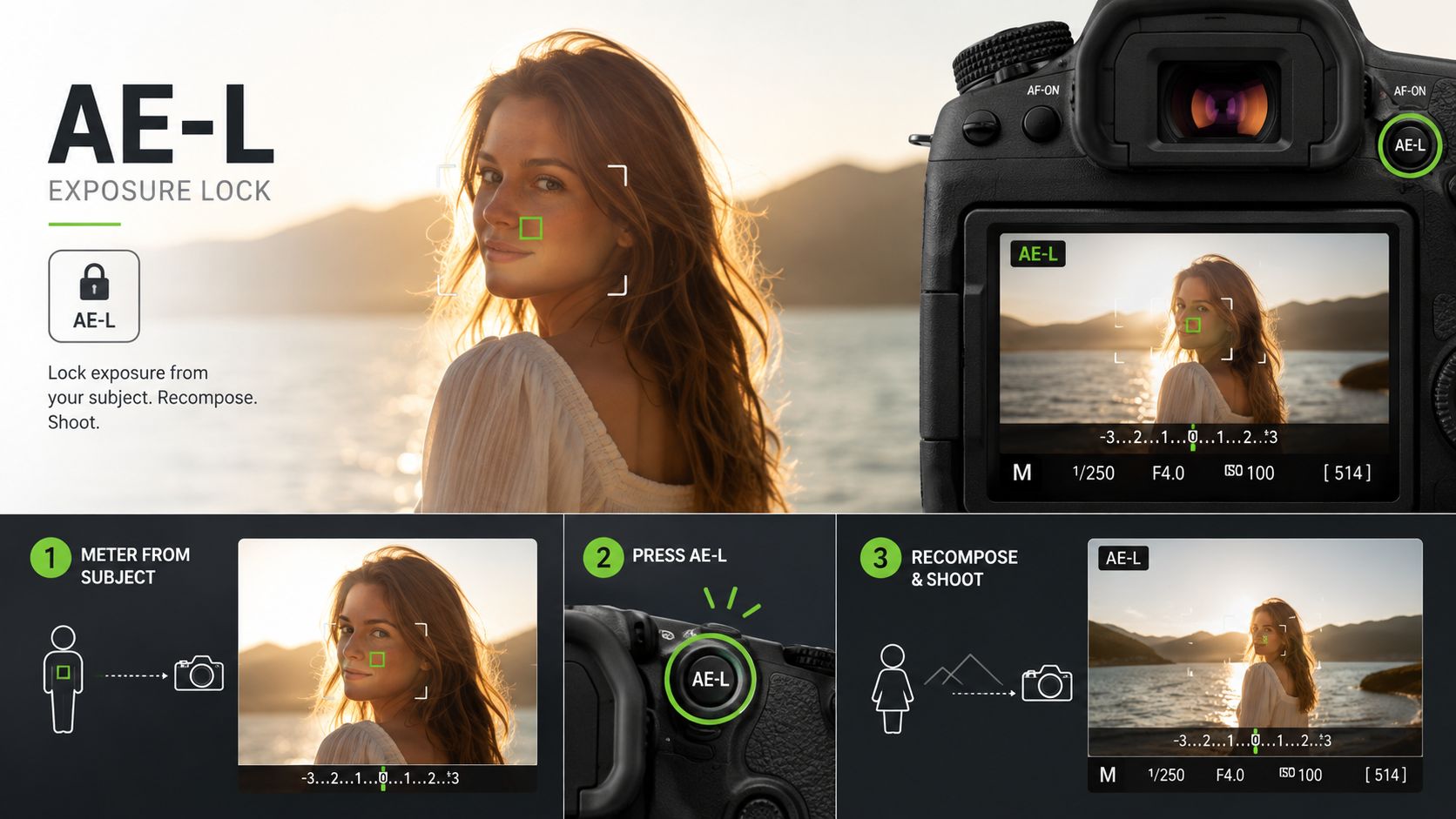
Exposure Lock lets you meter the light from one part of a scene and then keep that exposure while you change the composition.
On many cameras it is labelled AE-L, which means Auto Exposure Lock.
What is exposure lock?
In automatic and semi-automatic exposure modes, your camera continually meters the scene.
If you point the camera somewhere brighter or darker, the camera may change its exposure settings.
Exposure Lock temporarily holds the metered exposure so you can change your composition without that value changing.
What does AE-L stand for?
AE-L stands for Auto Exposure Lock.
Different manufacturers may label the control differently, but the idea is broadly the same.
You may see:
- AE-L;
- AEL;
- AE Lock;
- a star or custom button assigned to exposure lock.
Why would exposure change when I recompose?
Your camera meter evaluates the light it sees.
Imagine photographing a person standing in front of a bright window.
If you meter mostly from the person's face and then recompose so the bright window fills more of the frame, the meter may decide the scene has become brighter and reduce the exposure.
AE-L lets you hold the exposure you chose before recomposing.
Exposure Lock vs autofocus lock
These are separate functions.
AE-L locks exposure.
AF-L locks autofocus.
Some cameras combine both functions on one button labelled AE-L/AF-L, while others let you configure them separately.
If autofocus itself is confusing, read my Autofocus Modes guide .
How do you use AE-L?
A simple method is:
- Point the camera at the area you want to meter.
- Activate AE-L.
- Confirm exposure is locked.
- Recompose the photograph.
- Take the picture.
- Release or cancel the exposure lock when finished.
Exact button behaviour varies by camera.
Hold vs toggle exposure lock
Some cameras keep exposure locked only while you hold the AE-L button.
Others can be configured so one press locks exposure and another press releases it.
This is often described as:
- hold;
- toggle;
- AE lock with hold;
- AE lock with toggle.
AE-L in Aperture Priority
In Aperture Priority, you choose the aperture and the camera normally chooses the shutter speed.
If Auto ISO is active, the camera may also adjust ISO depending on its programming and your settings.
When you activate AE-L, the camera holds the metered exposure decision.
This is useful when you want to maintain the same brightness while changing composition.
AE-L in Shutter Priority
In Shutter Priority, you choose the shutter speed and the camera normally adjusts aperture.
Exposure Lock can hold that metered exposure while you recompose.
Does AE-L work in Manual mode?
With fully manual exposure and a fixed ISO, you have already locked the exposure settings yourself.
The camera may still show you a meter reading, but aperture, shutter speed and ISO do not automatically change.
AE-L is therefore usually unnecessary in that situation.
Manual mode with Auto ISO is different because ISO can still change automatically.
Exactly how AE-L behaves with Manual + Auto ISO varies between camera models.
When is exposure lock useful?
AE-L can be useful when:
- your subject is backlit;
- the composition contains very bright and dark areas;
- you want several frames at identical exposure;
- you meter from one area and then recompose;
- the camera meter keeps changing between similar frames;
- you are creating a panorama;
- you want consistent brightness while repositioning the camera.
Example: a backlit portrait
Imagine a person standing with bright sky behind them.
The camera may expose for the bright background and leave the face too dark.
One option is to meter from the face, lock the exposure and then recompose.
Another option is exposure compensation .
AE-L vs Exposure Compensation
They solve related problems in different ways.
Exposure Lock says: keep this exposure while I recompose.
Exposure Compensation says: make the camera's chosen exposure brighter or darker.
For many everyday situations, exposure compensation is faster.
AE-L is particularly useful when you have already found exactly the exposure you want and do not want it to change.
AE-L and Metering Modes
Exposure Lock becomes easier to understand when you also understand metering.
Matrix, Evaluative, Multi, Centre-Weighted and Spot Metering all determine how the camera evaluates brightness.
Read my Camera Metering Modes guide for the differences.
AE-L with Spot Metering
Spot Metering and AE-L can work well together.
You can meter a small, important part of the scene, lock that exposure and then recompose.
But remember that the camera generally tries to render the metered area around a middle tone.
A bright white object or very dark object may still need compensation.
Does AE-L lock white balance?
Normally, no.
Exposure Lock is designed to lock exposure, not white balance.
White balance is a separate control.
Read my White Balance guide if colour temperature is still confusing.
Does AE-L lock focus?
Not necessarily.
Some cameras have a combined AE-L/AF-L button, but exposure lock and autofocus lock are technically different functions.
Exposure Lock for panoramas
When creating a panorama, changing exposure between frames can make stitching more difficult.
You can use AE-L to keep exposure consistent while rotating the camera.
Many photographers instead use Manual exposure for panoramas because it gives complete consistency.
Exposure Lock for a sequence of photographs
Imagine photographing several portraits in exactly the same light.
If the composition changes slightly, an automatic meter can produce slightly different brightness from frame to frame.
Locking exposure can improve consistency.
When AE-L is unnecessary
You may not need AE-L when:
- you are using fully manual exposure with fixed ISO;
- the light is consistent and the meter is behaving predictably;
- Exposure Compensation solves the problem more quickly;
- you are happy for the camera to meter every frame independently.
Why does my exposure lock disappear?
Cameras differ in how long they retain exposure lock.
It may cancel when:
- you release the button;
- the meter times out;
- you take a photograph;
- you press the AE-L button again;
- the camera enters sleep mode.
Check the custom-control settings for your particular camera.
A simple beginner AE-L workflow
- Choose Aperture Priority or another automatic exposure mode.
- Frame the important part of the scene.
- Check the exposure.
- Press AE-L.
- Recompose.
- Take the photograph.
- Release AE-L when you want the camera to meter normally again.
Common beginner AE-L mistakes
Confusing AE-L with AF-L
Exposure and focus are separate controls.
Leaving exposure locked accidentally
The light changes, but the camera is still using an older exposure.
Using AE-L when compensation is easier
Sometimes you simply need +1 EV or -1 EV rather than locking a particular reading.
Assuming AE-L guarantees correct exposure
It only locks the exposure you chose. If that exposure was wrong, AE-L faithfully keeps it wrong.
Exposure Lock - key points
- AE-L means Auto Exposure Lock.
- It holds a metered exposure while you recompose.
- AE-L and AF-L are different.
- It is useful in changing compositions and difficult lighting.
- Exposure Compensation may sometimes be faster.
- Manual exposure with fixed ISO already gives you fixed settings.
- Exact AE-L behaviour varies between camera models.
Want to stop guessing what your camera meter is doing?
My beginner photography courses cover exposure lock, metering, exposure compensation, aperture, shutter speed, ISO and practical camera control step by step.
Explore beginner photography coursesContinue learning exposure

Andy Hornby
Photographer, educator and workshop leader with more than twenty-five years of practical photography experience.
Learn with Andy