White balance controls how your camera interprets colour.
Its job is to make colours look natural under different types of light.
If white balance is wrong, the whole photograph can look too blue, too orange, too green or too magenta.
What is white balance?
Different light sources have different colours.
Daylight, tungsten bulbs, fluorescent lights, LEDs, shade and overcast skies can all produce different colour casts.
Your eyes and brain adapt automatically, so a white wall usually still looks white.
A camera needs help deciding how those colours should be interpreted.
White balance provides that correction.
What is colour temperature?
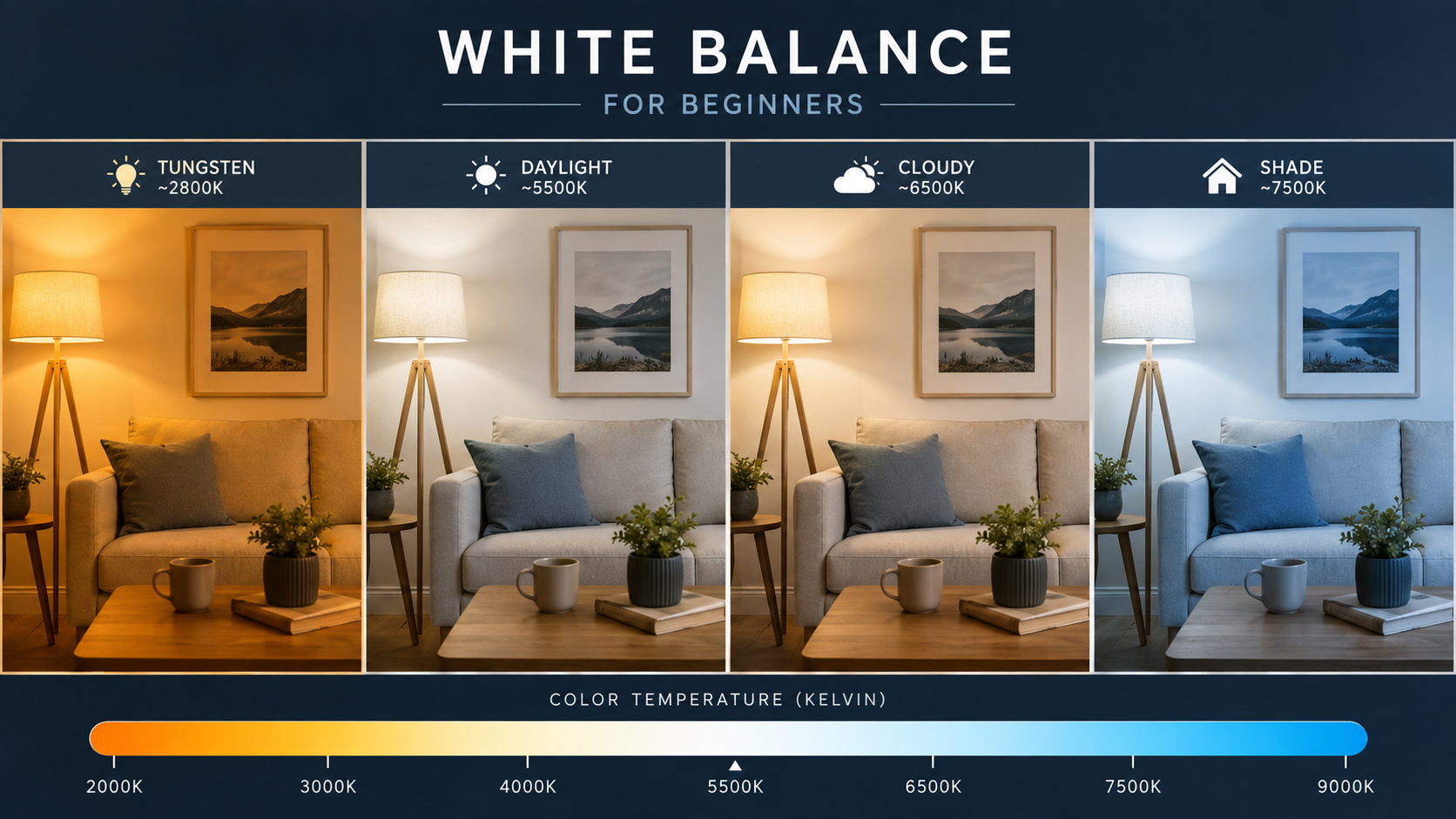
Colour temperature describes the colour appearance of light and is measured in Kelvin, written as K.
Lower Kelvin values are associated with warmer-looking light.
Higher Kelvin values are associated with cooler-looking light.
That can feel backwards at first, because photographers often call orange light "warm" and blue light "cool".
Typical Kelvin values in photography
| Light source | Approximate colour temperature |
|---|---|
| Candlelight | 1800-2000K |
| Tungsten household bulb | 2800-3200K |
| Sunrise / sunset | 3000-4000K |
| Daylight | 5000-5600K |
| Electronic flash | Around 5500K |
| Cloudy sky | 6000-7000K |
| Deep shade | 7000K and above |
These numbers are approximate. Real-world light sources vary.
What does Auto White Balance do?
Auto White Balance, usually shown as AWB, lets the camera analyse the scene and choose what it believes is an appropriate white balance.
On modern cameras, AWB is often very good.
For many beginners, it is perfectly sensible to leave the camera on Auto White Balance while learning the more important exposure and focusing controls.
When does Auto White Balance work well?
- daylight;
- general outdoor photography;
- travel;
- street photography;
- events with reasonably consistent lighting;
- situations where lighting changes quickly.
When can Auto White Balance struggle?
AWB can become less predictable when the scene is dominated by a strong colour.
Examples include:
- sunsets;
- concert lighting;
- strongly coloured walls;
- mixed indoor lighting;
- very warm tungsten light;
- LED lighting with unusual colour characteristics.
In these situations, the camera may try to neutralise colour that you actually wanted to keep.
Common white balance presets
Most cameras include preset white balance options.
Common presets include:
- Daylight;
- Cloudy;
- Shade;
- Tungsten / Incandescent;
- Fluorescent;
- Flash;
- Custom;
- Kelvin.
Daylight white balance
Daylight usually assumes light close to normal midday sunlight.
It can be useful when you want a consistent result instead of the camera changing white balance automatically between frames.
Cloudy white balance
Cloudy white balance normally adds warmth to compensate for the cooler appearance of overcast light.
Some photographers also use it creatively to make outdoor images look slightly warmer.
Shade white balance
Shade can appear quite blue because it is lit strongly by the sky rather than direct sunlight.
The Shade preset applies a warmer correction.
Tungsten or Incandescent white balance
Traditional tungsten bulbs produce very warm orange light.
The Tungsten preset adds a cooler correction to make neutral colours look more natural.
Fluorescent white balance
Fluorescent lighting can produce unusual colour casts, sometimes including green or magenta.
Different fluorescent lamps vary considerably, so the preset may not always be perfect.
Flash white balance
Electronic flash is commonly designed to be close to daylight colour temperature.
The Flash preset usually applies a small adjustment appropriate for that type of light.
What is Kelvin white balance?
Kelvin mode lets you choose the colour temperature directly rather than selecting a named preset.
For example:
- around 3200K for tungsten lighting;
- around 5200-5600K for daylight;
- around 6000-7000K for cloudy or shaded scenes.
Exact values depend on the actual light and the look you want.
Why does raising Kelvin make the image warmer?
This is another part beginners often find confusing.
A low-temperature light source is physically warmer-looking, so the camera adds blue to neutralise it.
A high-temperature light source is physically bluer, so the camera adds warmth to compensate.
Therefore, when you manually increase the white balance Kelvin setting, the photograph generally becomes warmer.
What is Custom White Balance?
Custom White Balance allows you to measure a known neutral target under the actual light.
Depending on the camera, you may photograph:
- a grey card;
- a white balance target;
- a neutral reference surface.
The camera then calculates a correction for that lighting.
Grey card vs white card
A neutral grey target is often preferred because it gives the camera a neutral reference without risking overexposure.
A truly neutral white target can also work if it is exposed correctly.
An ordinary sheet of white paper is not always genuinely neutral and may contain optical brighteners.
White balance and RAW files
If you photograph in RAW, white balance is much more flexible.
The camera records the white balance setting as metadata, but the underlying RAW data allows you to change white balance later with much greater freedom.
This means you can correct colour temperature and tint during RAW processing without the same limitations as a JPEG.
White balance and JPEG files
JPEG files are processed inside the camera.
The selected white balance is baked much more strongly into the final image.
You can still make corrections later, but extreme changes can reduce image quality or make colours harder to recover naturally.
Should beginners shoot RAW because of white balance?
RAW makes correcting mistakes easier, but it also requires processing afterwards.
If you are comfortable editing your images, RAW gives you more flexibility.
If you prefer images that are ready to use straight from the camera, JPEG is simpler.
You can also shoot RAW + JPEG while learning.
The difference between the two file types goes much further than white balance. My RAW vs JPEG guide compares editing flexibility, file size, highlight and shadow recovery and when each format makes sense.
What is a colour cast?
A colour cast happens when the whole image has an unwanted colour bias.
Common examples include:
- orange indoor photos;
- blue shaded portraits;
- green fluorescent lighting;
- magenta LED lighting.
White balance is one of the main tools used to correct these casts.
Temperature vs Tint
White balance correction usually has two main directions.
Temperature adjusts between blue and amber.
Tint adjusts between green and magenta.
Kelvin mainly deals with the blue-to-amber axis.
Some artificial lights may also need tint correction.
White balance in mixed lighting
Mixed lighting is one of the hardest situations for white balance.
Imagine a room lit by warm tungsten bulbs while blue daylight also enters through a window.
There may be no single white balance setting that makes every part of the scene neutral.
Correct one source and the other may look wrong.
How to deal with mixed lighting
Possible solutions include:
- choose which light source matters most;
- move the subject closer to one type of light;
- turn off unwanted lights;
- use flash;
- use coloured gels on flash;
- shoot RAW and fine-tune later;
- embrace the mixed colour creatively.
White balance for portraits
Skin colour is one of the easiest places to notice incorrect white balance.
If skin looks too orange, blue, green or magenta, check the white balance before assuming anything else is wrong.
Auto White Balance often works well, but consistent portrait sessions may benefit from a fixed Kelvin setting or custom white balance.
White balance for landscapes
Landscape photography does not always need perfectly neutral colour.
Warm sunrise and sunset light is often part of what makes the scene attractive.
Auto White Balance can sometimes reduce that warmth.
Daylight or a chosen Kelvin value can help preserve the natural character of the light.
White balance at sunrise and sunset
Golden-hour light is naturally warm.
If the camera aggressively neutralises that warmth, the image can lose some of the atmosphere you saw.
Using Daylight, Cloudy or a manually chosen Kelvin value can help keep the warmth.
White balance at night
Night scenes often contain several light sources with completely different colours.
Street lights, LEDs, shop windows and car lights may all appear in one frame.
There may not be one technically correct setting.
Choose the colour balance that suits the important part of the scene.
White balance and flash
Flash is commonly close to daylight colour.
Problems appear when flash is combined with a very different ambient light source.
For example, daylight-balanced flash used inside a tungsten-lit room can create a subject with one colour and a background with another.
Photographers sometimes use colour-correction gels on the flash to bring the two light sources closer together.
Does white balance affect exposure?
White balance primarily affects colour rather than exposure.
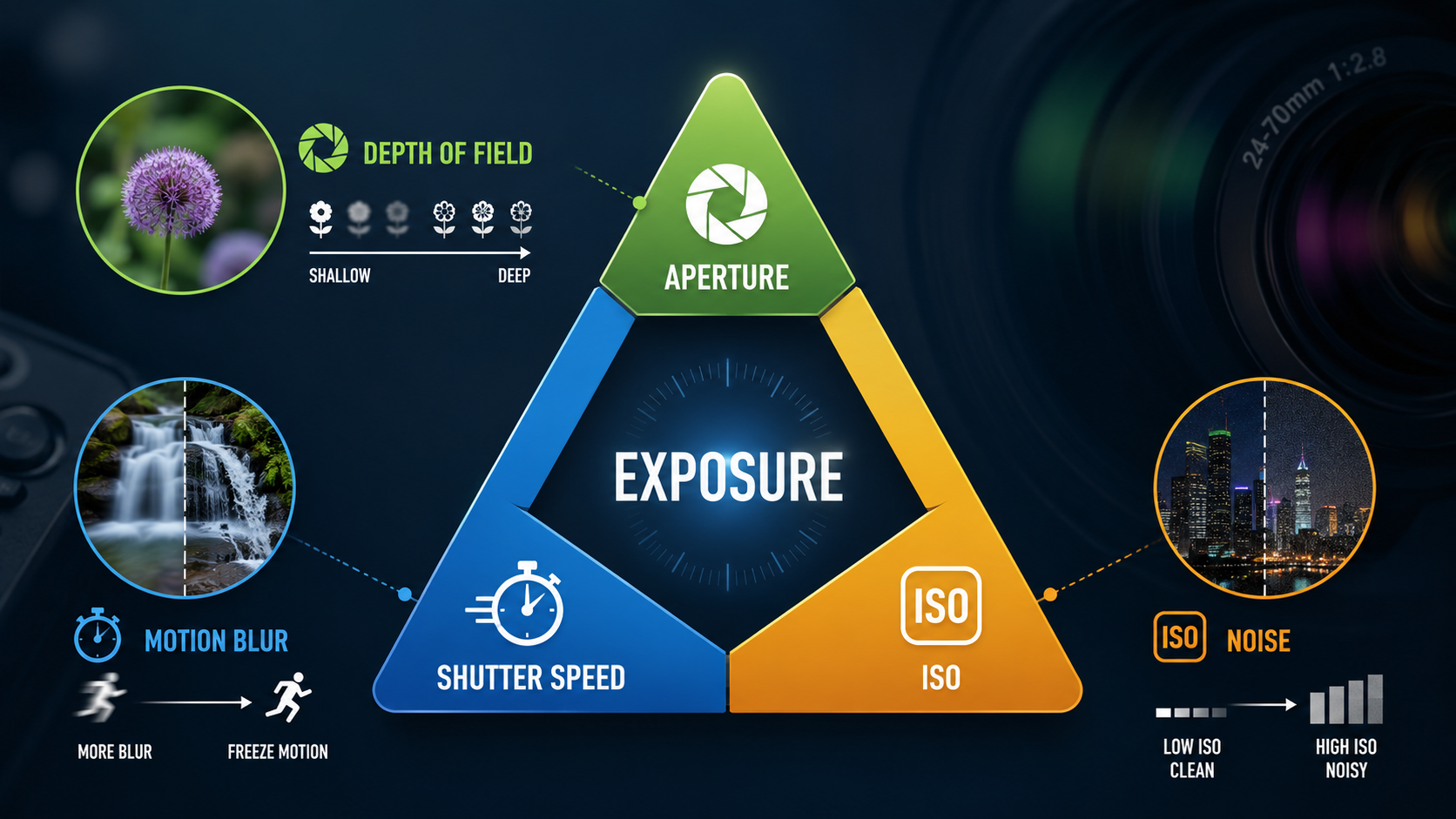
Aperture, shutter speed and ISO are the main controls used to determine exposure.
If those concepts are still new, start with my exposure triangle guide .
Does white balance affect the histogram?
It can affect the way the camera-generated histogram and preview appear because those are based on a processed image.
Changing white balance can alter individual colour channels, particularly in the RGB histogram.
Read my beginner histogram guide for more on brightness and RGB histograms.
Should beginners use Auto White Balance?
Yes, in many situations.
Auto White Balance is one of the settings beginners can safely let the camera manage while concentrating on:
- composition;
- focus;
- aperture;
- shutter speed;
- ISO;
- exposure.
Learn the alternatives when AWB produces a result you do not like or when consistency becomes important.
When should you stop using Auto White Balance?
Consider a fixed preset, Kelvin value or custom white balance when:
- you need consistent colour across many images;
- AWB keeps changing between frames;
- the camera removes attractive warm light;
- skin tones are inconsistent;
- you are shooting products;
- you are working under controlled lighting.
A simple beginner white balance workflow
- Start with Auto White Balance.
- Take a photograph.
- Look at something that should appear neutral.
- If the image looks too orange, try a cooler white balance.
- If the image looks too blue, try a warmer white balance.
- Use a preset or Kelvin value when you want more consistency.
- Shoot RAW if you want maximum flexibility afterwards.
Common beginner white balance mistakes
Thinking AWB is always wrong
Modern Auto White Balance is often extremely good.
Thinking every photograph must be neutral
Warm sunset light and blue-hour light are part of the atmosphere.
Forgetting a fixed white balance is still active
A tungsten setting left active outdoors can make daylight images look extremely blue.
Trying to fix mixed lighting with one Kelvin value
Different light sources may require different corrections.
Ignoring tint
Some artificial lights need green-magenta correction as well as a temperature change.
White balance - key points
- White balance controls colour, not the basic exposure.
- Colour temperature is measured in Kelvin.
- Auto White Balance is a good starting point.
- Presets give more consistency.
- Kelvin lets you choose colour temperature directly.
- Custom white balance uses a neutral reference.
- RAW files allow much greater correction afterwards.
- Mixed lighting may not have one perfect correction.
- Correct colour is not always the same as creative colour.
Want to understand what all your camera settings actually do?
My beginner photography courses cover white balance, focusing, exposure, aperture, shutter speed, ISO and essential camera controls step by step. You can learn online or through practical one-to-one tuition around Portsmouth.
Explore beginner photography coursesContinue learning camera control
Exposure Triangle
Read GuideHistogram
Read GuideCamera Modes
Read GuideAutofocus Modes
Read Guide
Andy Hornby
Photographer, educator and workshop leader with more than twenty-five years of practical photography experience.
Learn with Andy