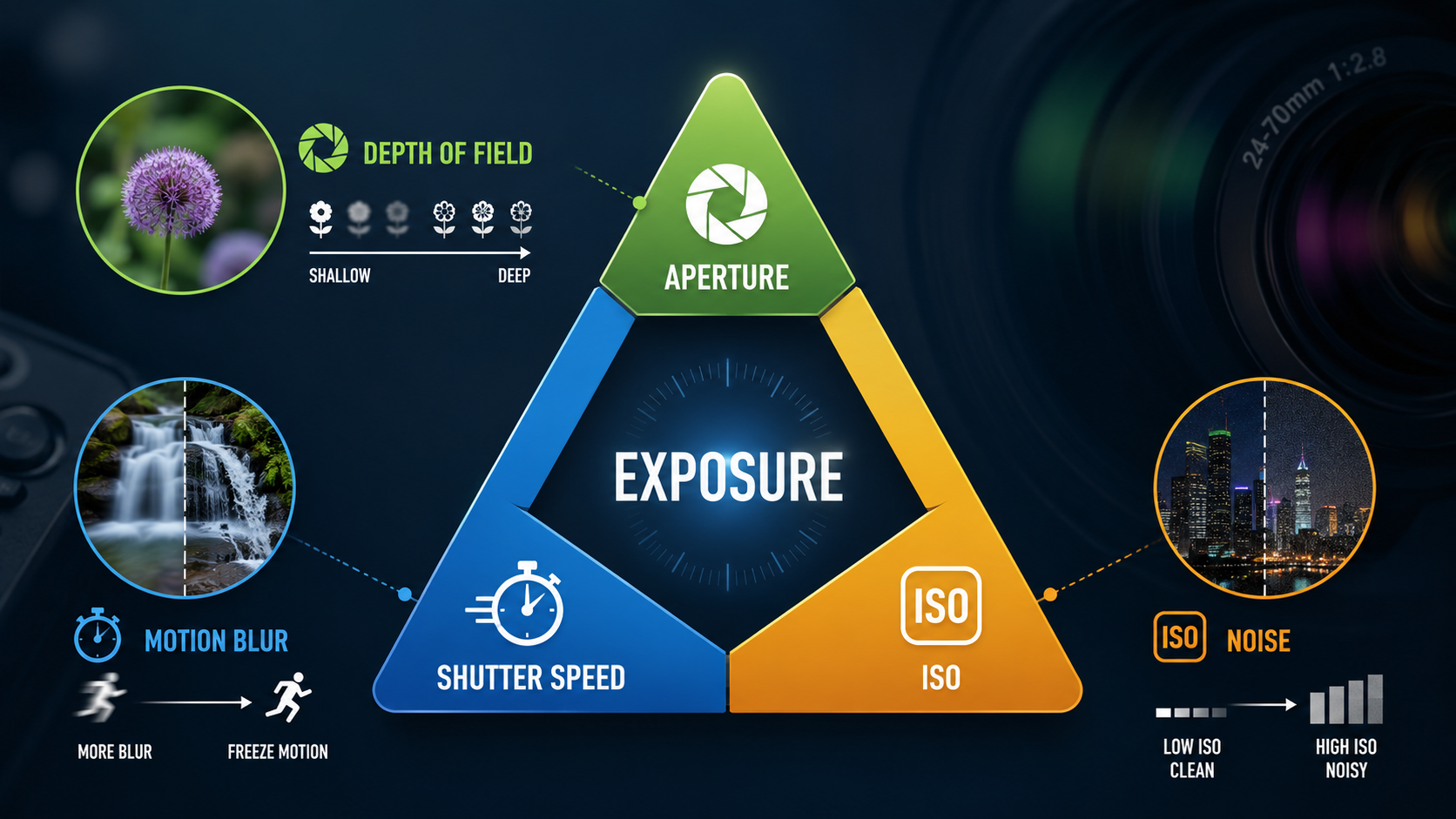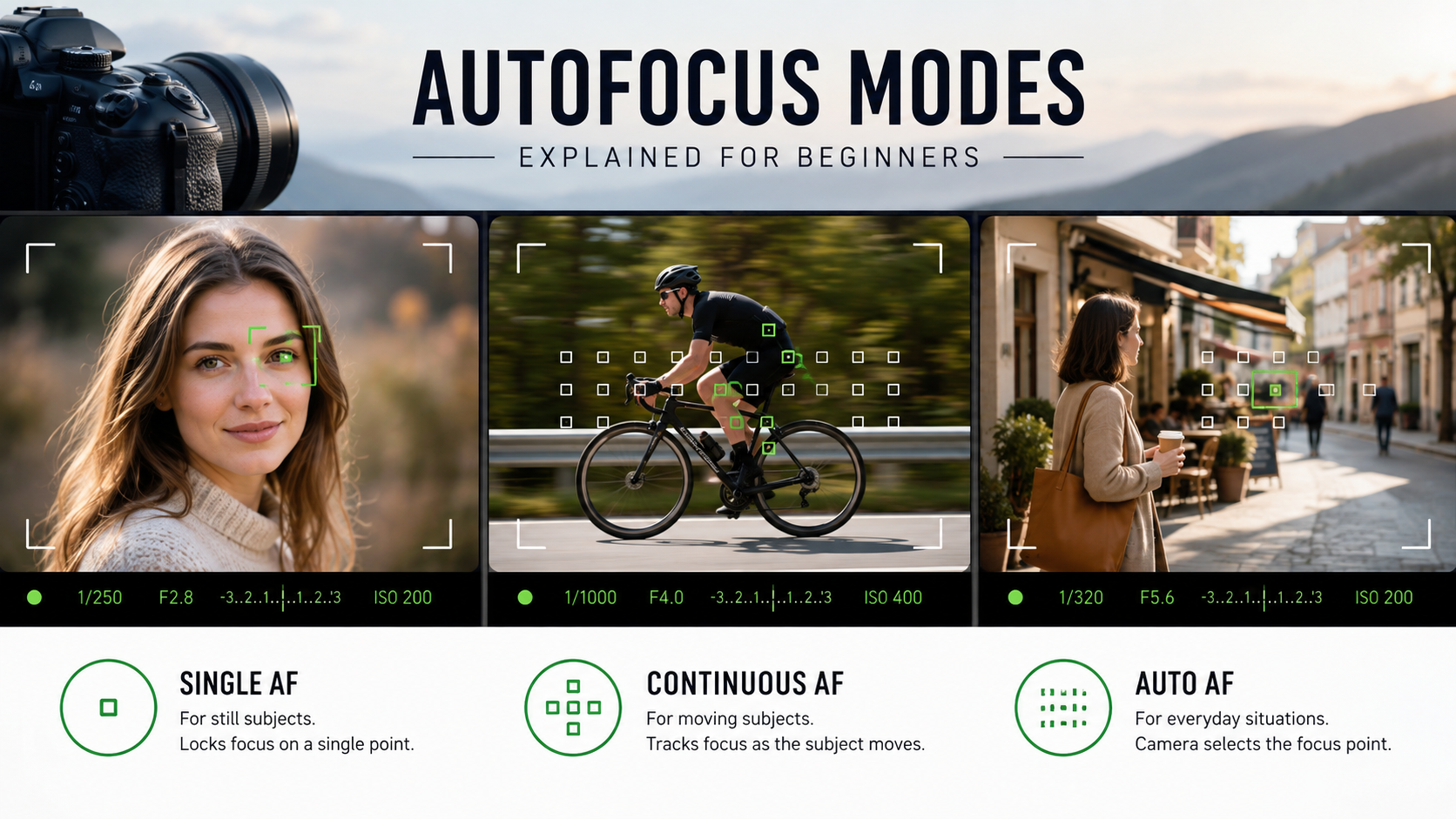
Autofocus modes control how your camera focuses and, just as importantly, whether it keeps adjusting focus after it has found your subject.
For beginners, most autofocus confusion comes from the different names used by camera manufacturers. AF-S, AF-C, One Shot and AI Servo sound complicated, but the basic ideas are actually very simple.
What is autofocus?
Autofocus allows the camera and lens to automatically adjust focus so the chosen subject appears sharp.
The camera analyses the scene, looks for suitable detail or a recognised subject, and tells the lens where to focus.
Modern cameras can also recognise:
- faces;
- eyes;
- people;
- animals;
- birds;
- vehicles;
- other subjects depending on the camera model.
Autofocus mode vs focus area
These are two different things.
Autofocus mode controls how focus behaves over time.
Focus area controls where in the frame the camera is allowed to focus.
For example, you can use continuous autofocus together with a single focus point, a zone or whole-frame subject tracking.
If single point, Zone, Wide Area and subject tracking are still confusing, read my Focus Area Modes guide . It deals specifically with where in the frame the camera is allowed to search for focus.
Single autofocus: AF-S or One Shot
Single autofocus is designed mainly for subjects that are not moving.
Depending on the camera brand, it may be called:
- AF-S - Single AF;
- One Shot AF - common Canon terminology;
- Single Servo AF on some systems.
You press the shutter button halfway, or use your AF button, and the camera focuses.
Once focus is acquired, the camera normally stops adjusting until you release and activate autofocus again.
When to use AF-S or One Shot
- landscapes;
- buildings;
- still-life photography;
- products;
- stationary portraits;
- subjects that are not changing distance from the camera.
Continuous autofocus: AF-C or AI Servo
Continuous autofocus is designed for subjects that move towards, away from or around the camera.
Common names include:
- AF-C - Continuous AF;
- AI Servo - traditional Canon terminology.
While autofocus remains active, the camera continually updates focus as the subject distance changes.
When to use AF-C or AI Servo
- sport;
- wildlife;
- children running;
- pets;
- cars and motorcycles;
- people walking towards the camera;
- events and weddings;
- almost any unpredictable moving subject.
AF-S vs AF-C: what is the difference?
| Mode | Best for | What happens after focus is found? |
|---|---|---|
| AF-S / One Shot | Still subjects | Focus normally locks |
| AF-C / AI Servo | Moving subjects | Focus keeps updating |
What is AF-A or automatic autofocus?
Some cameras include an automatic autofocus mode often called AF-A or something similar.
The camera tries to decide whether the subject is stationary or moving and switches autofocus behaviour automatically.
This can be convenient, but it gives you less predictable control.
As you gain confidence, choosing AF-S or AF-C yourself is often easier because you already know what kind of subject you are photographing.
Which autofocus mode should beginners use?
A very simple starting point is:
- still subject: AF-S or One Shot;
- moving subject: AF-C or AI Servo.
That rule alone will solve a large percentage of beginner focusing problems.
What is subject tracking?
Subject tracking allows the camera to identify a subject and follow it around the frame.
On modern mirrorless cameras, tracking can be extremely effective.
You may select a subject manually, place a focus point over it or allow the camera's subject-detection system to find it automatically.
Once identified, the camera attempts to maintain focus even when the subject moves across the frame.
Face and eye autofocus
Face and eye autofocus are particularly useful for photographing people.
Instead of trying to position a tiny focus point exactly over the eye, the camera detects the face or eye and prioritises it.
Eye autofocus can be extremely useful for:
- portraits;
- weddings;
- events;
- children;
- street photography;
- shallow-depth-of-field photography.
Animal and bird eye autofocus
Many newer cameras can recognise animal and bird eyes as well as human eyes.
This can make wildlife and pet photography considerably easier, particularly when combined with AF-C.
Availability and performance vary greatly between camera models.
Once autofocus modes make sense, you may also want to decide whether the shutter button should continue activating autofocus. My Back Button Focus guide explains how separating autofocus from the shutter button works and when it is genuinely useful.
What is a focus area?
Focus areas tell the camera where it is allowed to search for focus.
Common focus-area options include:
- single point;
- small flexible spot;
- zone;
- wide area;
- whole frame;
- subject tracking.
Single-point autofocus
Single-point autofocus gives you precise control over where the camera focuses.
It is useful for:
- still subjects;
- landscapes;
- products;
- carefully composed portraits;
- situations where the camera keeps choosing the wrong subject.
Zone autofocus
Zone autofocus gives the camera a larger area in which to find and track the subject.
This can make moving subjects easier to follow because you do not have to keep one tiny point perfectly positioned.
It is useful for:
- sport;
- wildlife;
- children;
- pets;
- moving vehicles.
Wide-area autofocus
Wide-area or whole-frame autofocus lets the camera choose from a large part of the image.
On cameras with good face, eye and subject detection, this can work extremely well.
Without strong subject detection, however, the camera may focus on something you did not intend.
Autofocus for portraits
For a person who is standing still, AF-S with eye detection can work well.
If the person is moving, AF-C with eye or face tracking is normally a better choice.
At wide apertures such as f/1.4 or f/1.8, accurate eye focus becomes particularly important because the depth of field can be very shallow.
My aperture guide explains why wide apertures reduce depth of field.
Autofocus for sport and action
For action, AF-C or AI Servo is usually the best starting point.
Combine it with subject tracking or an appropriate zone focus area.
Remember that accurate autofocus does not guarantee a sharp image. If your shutter speed is too slow, subject movement can still cause blur.
Read my beginner guide to shutter speed for more on freezing movement.
Autofocus for landscapes
Landscapes usually contain subjects that are not moving relative to the camera.
AF-S with a carefully positioned single focus point is therefore a good starting point.
Once focus is established, some photographers switch to manual focus to prevent the camera refocusing between frames, particularly when using a tripod.
Why does autofocus sometimes fail?
Autofocus needs usable detail to work effectively.
It may struggle with:
- very dark scenes;
- low-contrast surfaces;
- fog;
- plain walls;
- subjects behind glass;
- subjects hidden behind branches or fences;
- very fast movement;
- subjects that are extremely small in the frame.
Low light and autofocus
Autofocus performance can become slower or less reliable as light levels fall.
Try focusing on an area with visible contrast rather than a plain, featureless surface.
Some cameras also perform better with a wider-aperture lens because more light reaches the focusing system.
Focus and recompose
A traditional technique is to place the focus point over your subject, lock focus, then recompose the image.
This can work well with AF-S for relatively distant subjects.
However, at very shallow depth of field and close focusing distances, recomposing can move the focus plane enough to make the eye soft.
Modern movable focus points and eye autofocus often make it better to place focus directly where you want it.
Shutter button autofocus vs back-button focus
Most cameras activate autofocus when you half-press the shutter button.
Some photographers separate focusing from the shutter release and assign autofocus to a button on the back of the camera.
This is known as back-button focus.
It can be useful, but beginners do not need to change to back-button focus immediately. Learn the normal autofocus modes first.
AF-C does not mean every photograph will be sharp
Continuous autofocus only controls focusing.
Sharpness also depends on:
- shutter speed;
- camera movement;
- subject movement;
- depth of field;
- lens performance;
- whether the camera identified the intended subject.
A simple beginner autofocus workflow
- Decide whether the subject is still or moving.
- For a still subject, start with AF-S or One Shot.
- For a moving subject, start with AF-C or AI Servo.
- Choose an appropriate focus area.
- Use face or eye detection for people when available.
- Check that the camera is actually tracking the subject you want.
- Choose a shutter speed fast enough for the subject's movement.
Common beginner autofocus mistakes
Using AF-S for a moving subject
The subject moves after focus locks, so it is no longer at the focused distance.
Letting the camera choose the wrong subject
Wide autofocus areas can sometimes prioritise the foreground or a higher-contrast object.
Blaming autofocus for motion blur
A photograph can be correctly focused but still look soft because the shutter speed was too slow.
Using a tiny focus point for unpredictable action
It can be difficult to keep a very small point over a fast-moving subject. A zone or tracking mode may be easier.
Autofocus modes - key points
- AF-S and One Shot are mainly for still subjects.
- AF-C and AI Servo are mainly for moving subjects.
- AF-A lets the camera choose between behaviours.
- Autofocus mode and focus area are different settings.
- Eye autofocus is extremely useful for portraits.
- Subject tracking can follow movement around the frame.
- Autofocus cannot compensate for a shutter speed that is too slow.
Want to stop fighting with your camera?
My beginner photography courses cover focusing, exposure, aperture, shutter speed, ISO, camera modes and essential camera controls step by step. You can learn online or through practical one-to-one tuition around Portsmouth.
Explore beginner photography coursesContinue learning camera control

Andy Hornby
Photographer, educator and workshop leader with more than twenty-five years of practical photography experience.
Learn with Andy