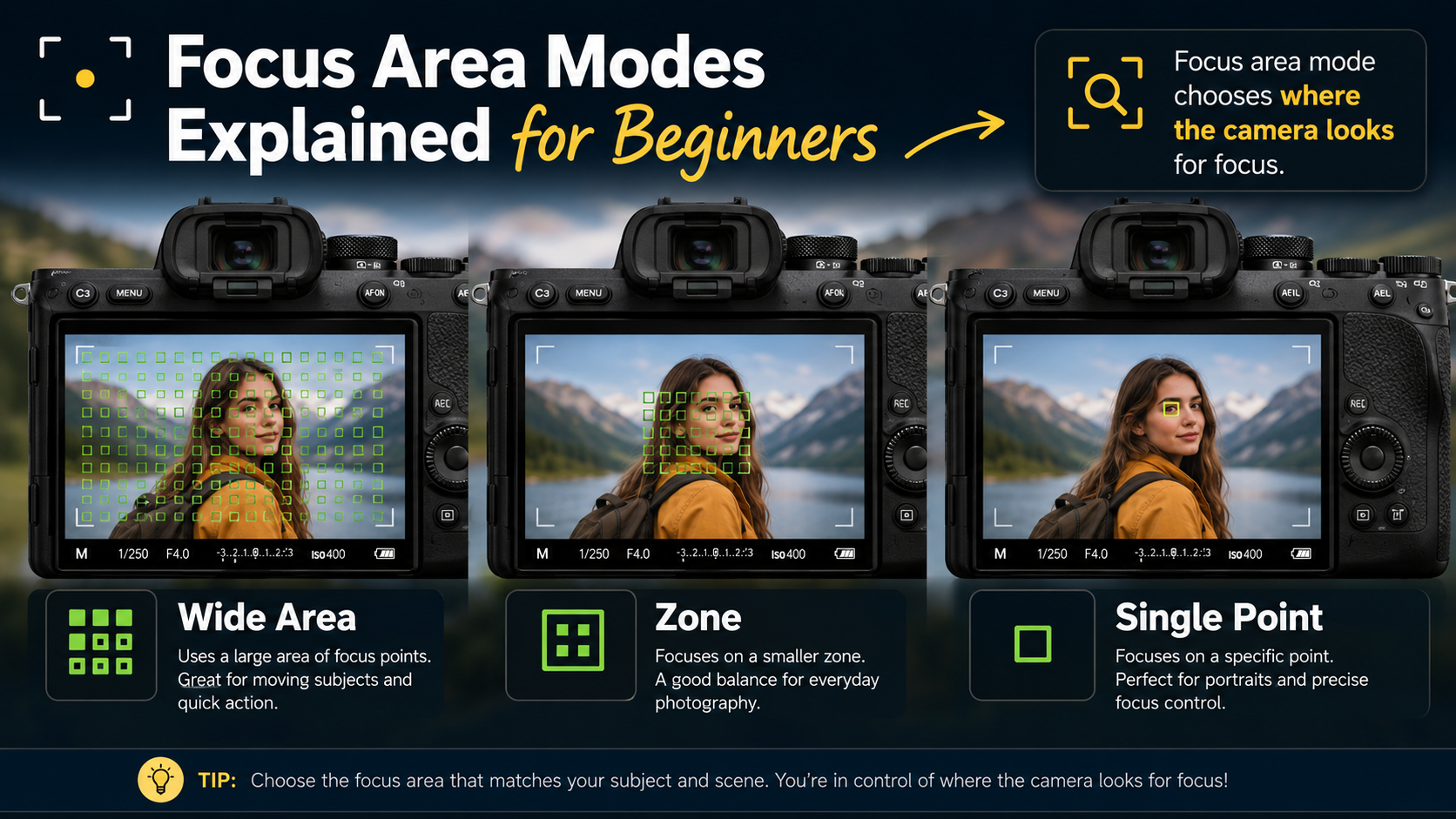
Focus area modes tell your camera where in the frame it is allowed to look for focus.
This is different from autofocus mode, which controls whether the camera focuses once or keeps adjusting focus as the subject moves.
What is a focus area?
A focus area defines which part of the image the autofocus system can use when deciding what should be sharp.
Depending on the camera, you may see options such as:
- single point;
- flexible spot;
- expanded point;
- zone;
- wide;
- whole area;
- subject tracking.
The names vary between manufacturers, but the underlying ideas are broadly similar.
Focus area vs autofocus mode
This is one of the most common beginner confusions.
Autofocus mode controls what happens after the camera finds focus.
For example:
- AF-S or One Shot normally focuses once and then locks;
- AF-C or AI Servo keeps updating focus while the subject moves.
Focus area mode controls where the camera searches.
Read my beginner guide to autofocus modes if AF-S, AF-C, One Shot and AI Servo are still confusing.
Single-point autofocus area
Single-point autofocus gives you one small focusing point that you position over the subject.
This gives you a high level of control because you are telling the camera exactly where you want it to focus.
When to use single-point autofocus
- landscapes;
- architecture;
- still life;
- products;
- stationary portraits;
- macro photography;
- subjects surrounded by distracting objects.
Advantages of single-point autofocus
- precise control;
- less chance of the camera choosing the wrong object;
- good for carefully composed images;
- easy to understand.
Disadvantages of single-point autofocus
A very small point can be difficult to keep positioned over a subject that moves unpredictably.
This is why it is often less convenient for sport, wildlife or children running around.
Flexible Spot or Small Area autofocus
Some cameras offer different sizes of focus point, often called Flexible Spot, Small, Medium or Large.
A smaller area gives more precision.
A larger area is easier to keep over a moving subject.
This gives you a useful compromise between a tiny single point and a full Zone mode.
Expanded autofocus point
Expanded-point autofocus begins with a selected focus point but can also use neighbouring points if the subject moves slightly away from the original point.
This can be useful for moving subjects where you still want more control than a large Zone.
Different manufacturers use different names for this type of mode.
Zone autofocus
Zone autofocus gives the camera a larger block of focus points to work with.
You normally position the zone over the general area where the subject will be, then the camera decides which point inside that zone should be used.
When to use Zone autofocus
- sport;
- wildlife;
- children;
- pets;
- vehicles;
- people moving around an event;
- subjects that are difficult to keep under one tiny point.
Why Zone can be easier for beginners
Keeping one tiny autofocus point perfectly placed over a moving subject can be difficult.
Zone gives you a larger target while still letting you tell the camera roughly where the important subject is.
Wide or Whole-Area autofocus
Wide autofocus allows the camera to search across a large part, or potentially all, of the frame.
Older cameras could sometimes be unpredictable in this mode because they often prioritised the closest or highest-contrast object.
Modern cameras with good subject recognition can be much more effective.
When Wide autofocus works well
- people when face detection is active;
- portraits using eye autofocus;
- pets using animal detection;
- birds using bird recognition;
- sport with reliable subject tracking;
- fast-moving subjects with modern mirrorless cameras.
When Wide autofocus can choose the wrong subject
If the camera cannot identify the subject properly, it may focus on:
- the nearest object;
- a high-contrast background;
- someone else in the frame;
- a branch or fence in front of the subject;
- something completely different from your intended subject.
What is subject tracking?
Subject tracking goes a step further than simply choosing a focus area.
The camera identifies a subject and attempts to follow it as it moves around the frame.
Depending on the camera, tracking may recognise:
- people;
- faces;
- eyes;
- animals;
- birds;
- vehicles;
- other subject types.
Tracking is usually most useful when combined with continuous autofocus such as AF-C or AI Servo.
Eye autofocus and focus areas
Eye autofocus can reduce the need to manually place a tiny focus point over a person's eye.
The camera detects the eye and tries to maintain focus there.
This can be especially useful when using a wide aperture because depth of field may be extremely shallow.
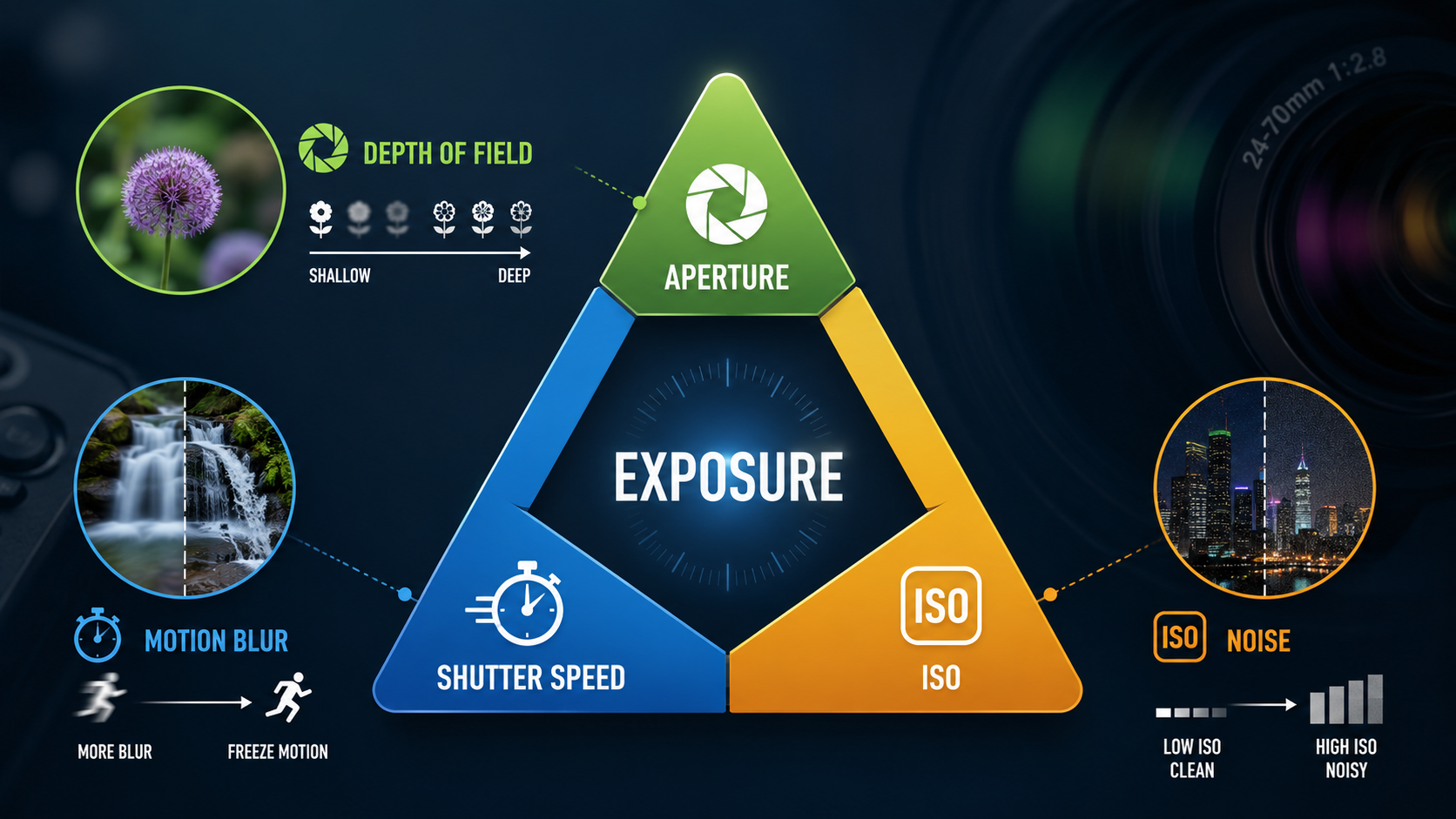
My aperture guide explains why this happens.
Which focus area should beginners use?
There is no single focus area that is best for every photograph.
A useful starting point is:
| Subject | Good starting focus area |
|---|---|
| Landscape | Single point |
| Still portrait | Single point or eye autofocus |
| Moving person | Zone or subject tracking |
| Sport | Zone or tracking |
| Wildlife | Zone, tracking or animal eye AF |
| Product | Single point |
Focus areas for portraits
For a stationary portrait, a single point placed over the nearest eye can work very well.
On a modern camera with reliable eye autofocus, Wide or Tracking mode may be easier because the camera can identify and follow the eye automatically.
If the person begins moving, switch to continuous autofocus so the camera can keep updating focus.
Focus areas for sport
Sport is usually easier with a larger focus area than a tiny single point.
A Zone gives you more room to follow the subject while still limiting the area in which the camera can search.
Subject tracking can work even better if your camera reliably recognises the athlete.
Remember that correct focus alone does not freeze motion.
Read my shutter speed guide for more on avoiding motion blur.
Focus areas for wildlife
Wildlife can move unpredictably, so Zone or subject tracking is often more practical than a tiny point.
If your camera offers animal or bird eye detection, it can be very useful for keeping focus on the eye while the subject moves.
Focus areas for landscapes
Landscapes generally do not move, so precision is often more useful than tracking.
A single focus point lets you place focus exactly where you want it.
When using a tripod, you may also choose to focus once and then switch to manual focus to prevent accidental refocusing.
Why does the camera focus on the background?
This usually happens because the active autofocus area includes both the subject and background.
The camera then selects something other than the intended subject.
Possible solutions include:
- use a smaller focus area;
- place the focus point directly over the subject;
- enable subject detection;
- use eye autofocus for portraits;
- move the camera or change composition;
- switch to manual focus if necessary.
Autofocus through fences and branches
Wide autofocus can struggle when something sits between you and the subject.
The camera may focus on the fence, glass, branch or foreground object instead.
A smaller single point or flexible spot is often much easier in this situation.
Small focus point vs large focus area
Think of this as a trade-off between precision and ease of tracking.
- Small point = more precise, but harder to keep over movement.
- Large area = easier for movement, but gives the camera more freedom to choose.
Focus area names vary between brands
Sony, Canon, Nikon, Fujifilm, Panasonic, OM System and other manufacturers all use slightly different names.
You may see terms such as:
- Flexible Spot;
- Spot AF;
- Single Point AF;
- Dynamic Area;
- Expanded Area;
- Zone;
- Wide;
- Whole Area;
- Tracking.
Do not worry too much about memorising every manufacturer's terminology.
Understand what the setting is allowing the camera to do.
Focus area determines where the camera searches, but you can also choose how autofocus itself is activated. If you want to separate focusing from the shutter button, see my Back Button Focus guide .
A simple beginner focus-area workflow
- Decide whether the subject is still or moving.
- Choose AF-S or AF-C as explained in the autofocus modes guide.
- For a still subject, start with a single point.
- For a moving subject, try Zone or Tracking.
- Enable face or eye detection when photographing people.
- Check that the active focus box is actually on your intended subject.
- If the camera keeps choosing the wrong object, reduce the focus area.
Common beginner focus-area mistakes
Leaving the camera on Wide for everything
The camera may select a subject you did not intend.
Using a tiny point for fast action
It can be difficult to keep the focus point over an unpredictable subject.
Confusing focus area with AF-S and AF-C
One controls where the camera focuses. The other controls whether focus keeps updating.
Assuming eye autofocus can never fail
Subject detection is extremely useful, but you should still watch which eye or subject the camera has selected.
Focus area modes - key points
- Focus area determines where the camera searches for focus.
- Autofocus mode determines how focus behaves over time.
- Single point gives precise control.
- Zone is useful for moving subjects.
- Wide gives the camera more freedom.
- Tracking attempts to follow an identified subject.
- Eye autofocus is particularly useful for portraits.
- If the camera chooses the wrong subject, try a smaller area.
Want to take control of your camera's focusing?
My beginner photography courses cover autofocus, focus areas, shutter speed, aperture, ISO, exposure and essential camera controls step by step. You can learn online or through practical one-to-one tuition around Portsmouth.
Explore beginner photography coursesContinue learning autofocus

Andy Hornby
Photographer, educator and workshop leader with more than twenty-five years of practical photography experience.
Learn with Andy