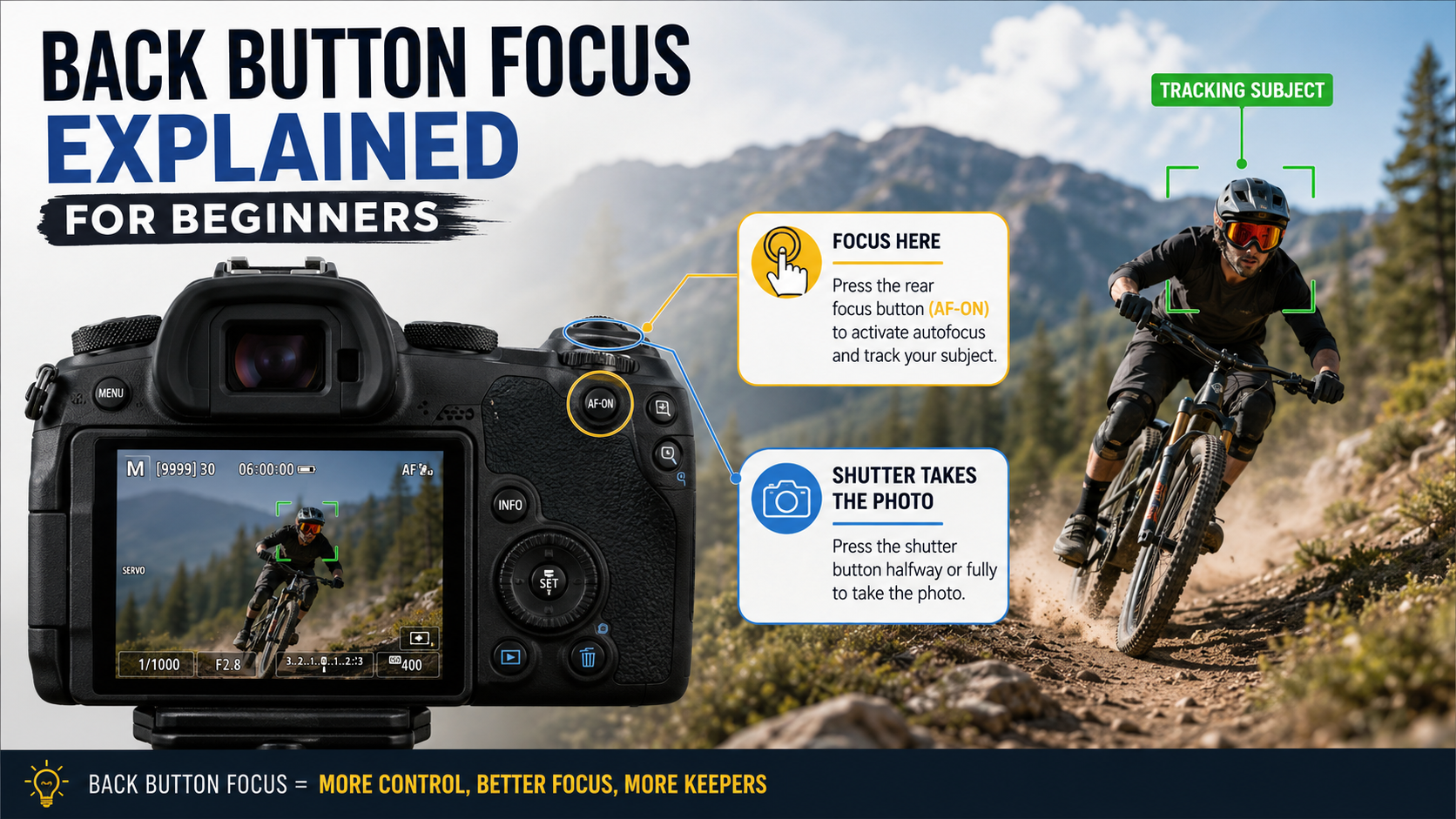
Back button focus is a camera setup where autofocus is moved away from the shutter button and assigned to a separate button on the back of the camera.
It sounds more advanced than it really is. The idea is simply to separate two jobs that the shutter button normally performs:
- focusing;
- taking the photograph.
What is back button focus?
Most cameras are set up so that half-pressing the shutter button activates autofocus.
Press the shutter button all the way and the camera takes the photograph.
With back button focus, autofocus is normally removed from the shutter button and assigned to a rear button such as:
- AF-ON;
- AE-L / AF-L;
- a custom function button;
- another configurable rear control.
You press the rear button when you want the camera to focus.
You press the shutter button when you want to take the photograph.
Why do photographers use back button focus?
The main reason is control.
Separating autofocus from the shutter button can prevent the camera from refocusing every time you press the shutter.
This can be useful when:
- the subject is moving unpredictably;
- you want to focus once and shoot several frames;
- you want to temporarily stop autofocus;
- you are switching between still and moving subjects;
- you do not want the camera to refocus between compositions.
How normal shutter-button autofocus works
With the standard setup, a half-press of the shutter button normally starts autofocus.
This is simple and works extremely well for many photographers.
For beginners, there is absolutely nothing wrong with continuing to use shutter-button autofocus.
How back button focus works
With back button focus, you normally use your thumb to activate autofocus.
Your index finger remains responsible for taking the photograph.
This means you can:
- hold the rear button to keep focusing;
- release it to stop focusing;
- press the shutter without forcing the camera to refocus.
Back button focus with AF-C or AI Servo
Back button focus is often paired with continuous autofocus.
In AF-C or AI Servo , the camera keeps adjusting focus while autofocus remains active.
With back button focus:
- hold the rear button and the camera continuously focuses;
- release the rear button and focusing stops;
- press the shutter whenever you want to take the picture.
This can be useful for sport, wildlife, weddings and other unpredictable subjects.
Can back button focus replace AF-S?
Sometimes, depending on how you prefer to work.
Some photographers leave the camera in AF-C most of the time.
They hold the back button for moving subjects and briefly press it, then release it, for stationary subjects.
Once the button is released, focus stops updating.
This can give one autofocus setup that handles both still and moving subjects.
It is not the only correct way to work, and beginners do not need to adopt this method immediately.
Back button focus and focus areas
Back button focus does not replace your focus area settings.
Your focus area mode still determines where the camera is allowed to search for focus.
You might combine back button focus with:
- single-point autofocus;
- zone autofocus;
- wide-area autofocus;
- eye autofocus;
- subject tracking.
Example: photographing a moving child
Imagine photographing a child running towards you.
You could use AF-C with subject tracking.
Hold the rear autofocus button while the child is moving and the camera continues adjusting focus.
Take photographs with the shutter button while continuing to hold focus.
If the child stops, you can release the focus button without changing any other setting.
Example: portrait that is not moving
Imagine photographing somebody standing still.
Press the rear autofocus button until the camera focuses on the subject's eye.
Release the button.
You can then take several photographs without the camera automatically refocusing each time you press the shutter.
If either you or the subject changes distance, focus again.
Back button focus for landscapes
Back button focus can be useful for landscapes because you can focus once and then stop autofocus from changing.
This is particularly useful when using a tripod and taking several frames of the same composition.
However, simply switching the lens or camera to manual focus after focusing can achieve a similar result.
Back button focus for sport
Sport is one of the situations where many photographers like back button focus.
It lets you keep AF-C active with your thumb while taking frames independently with the shutter button.
Combine this with an appropriate zone or tracking focus area and a fast enough shutter speed.
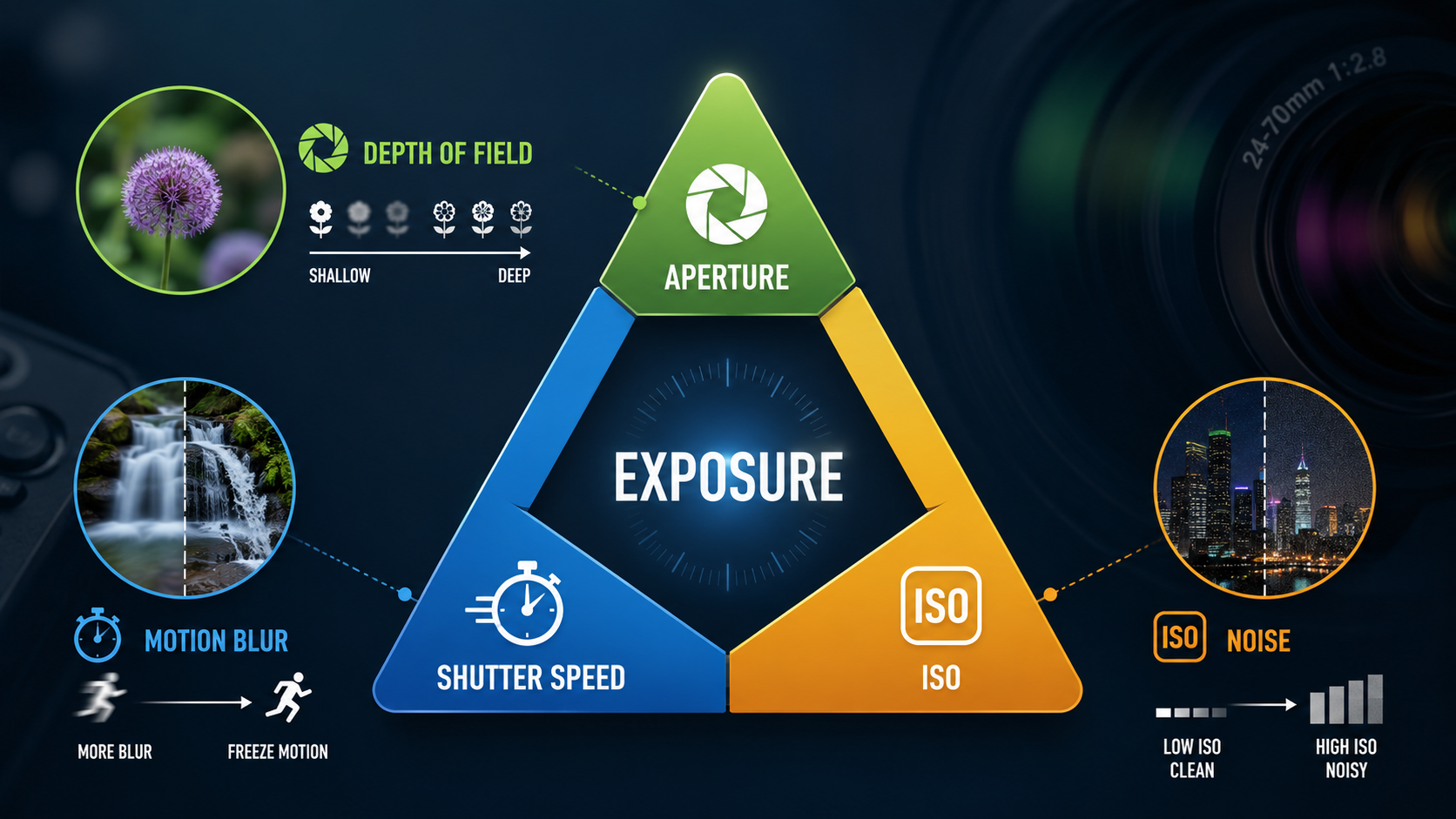
My shutter speed guide explains how shutter speed affects movement and motion blur.
Back button focus for wildlife
Wildlife photographers often use continuous autofocus and subject tracking.
A rear autofocus button gives them the ability to start or stop focusing without changing how the shutter button behaves.
This can be especially useful when the subject pauses, moves behind branches or temporarily leaves the focus area.
Back button focus for weddings and events
Weddings and events involve constantly changing situations.
One moment the subject may be standing still; the next they may start walking.
Back button focus with continuous autofocus can provide a flexible way to respond without constantly changing focus mode.
Advantages of back button focus
- separates focusing from taking the picture;
- can reduce accidental refocusing;
- works well with continuous autofocus;
- can make moving between still and moving subjects easier;
- gives you direct control over when autofocus is active;
- can be useful for sport, wildlife and events.
Disadvantages of back button focus
- it takes time to build muscle memory;
- someone else using your camera may not understand why the shutter button does not focus;
- it can initially make photography feel more complicated;
- it does not automatically make autofocus faster or more accurate;
- modern subject tracking can make some traditional reasons for using it less important.
Does back button focus make autofocus better?
No.
Back button focus changes how you activate autofocus.
It does not magically improve the camera's autofocus system.
Focus accuracy still depends on:
- the autofocus system;
- the lens;
- light levels;
- subject contrast;
- the focus area selected;
- whether subject detection works correctly;
- your technique.
Does back button focus make photographs sharper?
Not automatically.
A photograph can be perfectly focused and still look blurred if the shutter speed is too slow.
Likewise, camera shake, subject movement and shallow depth of field can all affect sharpness.
Do beginners need back button focus?
No.
Learn the basics first.
You should understand:
- AF-S vs AF-C;
- single point vs zone vs wide;
- eye autofocus;
- subject tracking;
- shutter speed and movement.
Once those ideas make sense, back button focus becomes much easier to understand.
Should you switch to back button focus?
Try it if you regularly photograph moving or unpredictable subjects and find yourself frustrated by the shutter button refocusing when you do not want it to.
If standard shutter-button autofocus works well for you, there is no need to change simply because another photographer says back button focus is more professional.
The best setup is the one that lets you work reliably and confidently.
How do you enable back button focus?
The exact menu settings vary between camera brands and models.
In general, the process involves:
- assigning autofocus to a rear button;
- disabling autofocus activation from the shutter button;
- testing that the rear button now starts autofocus;
- confirming that pressing the shutter alone no longer refocuses.
Check your camera manual for the exact custom-control settings.
A simple beginner back-button-focus workflow
- Learn AF-S and AF-C before changing your button setup.
- Set autofocus to a suitable rear button.
- Remove autofocus activation from the shutter button.
- For a moving subject, hold the back button while tracking.
- For a stationary subject, focus and then release the button.
- Press the shutter whenever you want to take a photograph.
- If it feels less reliable than your old setup, switch back and practise again later.
Common beginner back button focus mistakes
Forgetting the shutter no longer focuses
This is the most common mistake after first enabling back button focus.
Releasing AF-C too early
If the subject is still moving, you normally need to continue holding autofocus so the camera can keep adjusting.
Assuming back button focus fixes motion blur
It does not.
You still need an appropriate shutter speed.
Changing too many settings at once
If you are still learning autofocus modes and focus areas, changing the controls at the same time can make troubleshooting harder.
Back button focus - key points
- Back button focus separates autofocus from the shutter.
- A rear button activates autofocus.
- The shutter button takes the photograph.
- It works particularly well with AF-C.
- It can help prevent unwanted refocusing.
- It does not make autofocus inherently more accurate.
- Beginners do not have to use it.
- Use it only if it makes your photography simpler or more reliable.
Want to understand your camera without the jargon?
My beginner photography courses cover autofocus, focus areas, exposure, shutter speed, aperture, ISO and practical camera controls step by step. You can learn online or through practical one-to-one tuition around Portsmouth.
Explore beginner photography coursesContinue learning autofocus

Andy Hornby
Photographer, educator and workshop leader with more than twenty-five years of practical photography experience.
Learn with Andy