RAW and JPEG are two different ways your camera can save a photograph.
Neither format is automatically right for everybody.
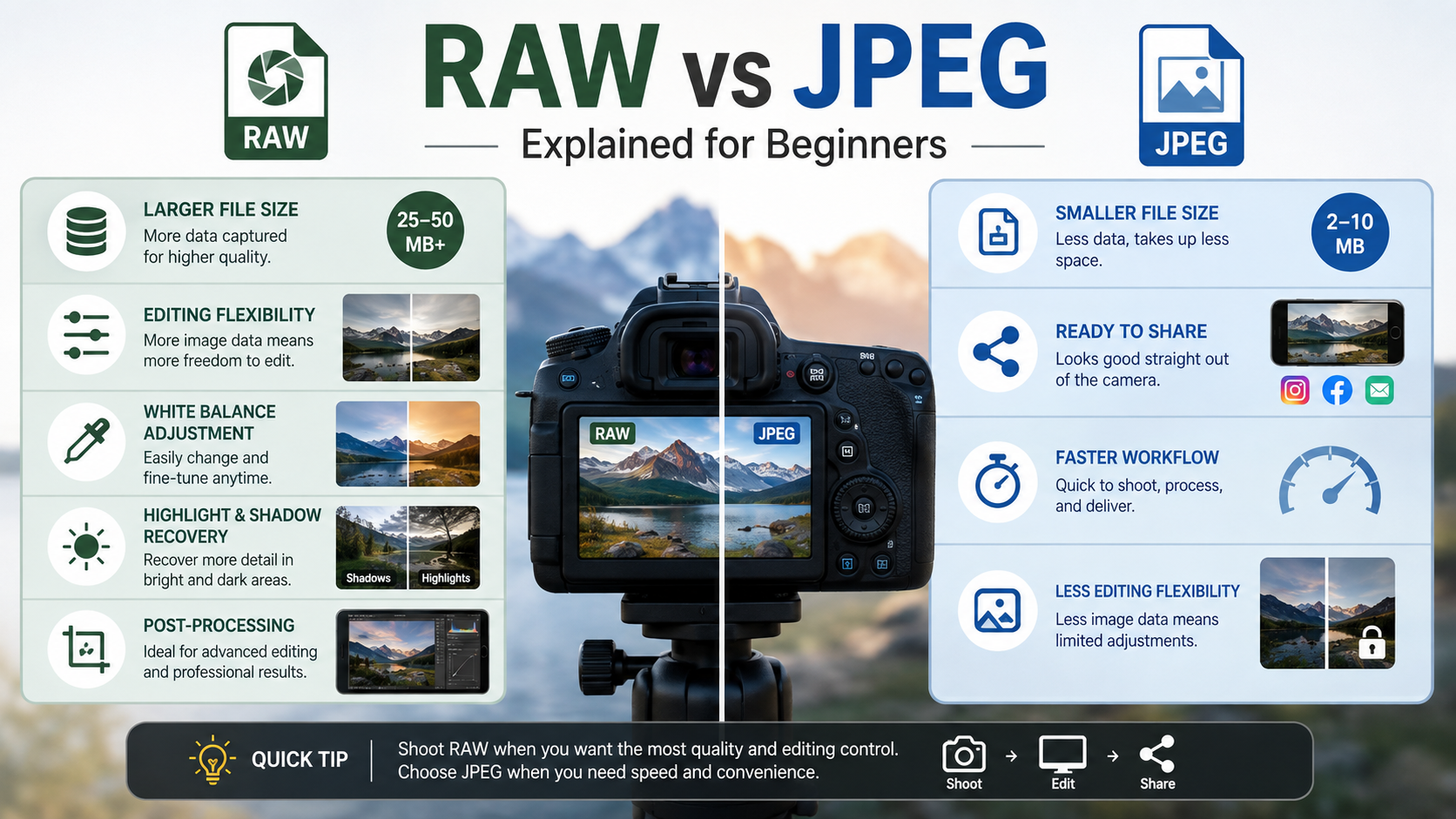
RAW gives you much more information and editing flexibility, while JPEG gives you a smaller, processed image that is ready to use immediately.
What is a RAW file?
A RAW file contains minimally processed image data captured by the camera.
Rather than permanently applying many of the camera's processing decisions, RAW preserves much more of the original image information for you to interpret later.
RAW files therefore normally need to be opened and processed in software such as Lightroom, Camera Raw, Capture One or the camera manufacturer's own software.
What is a JPEG file?
JPEG is a finished image produced by the camera.
When you shoot JPEG, the camera processes the captured information using settings such as:
- white balance;
- contrast;
- colour;
- sharpening;
- noise reduction;
- picture style or profile.
The camera then compresses the image and saves it as a JPEG.
RAW vs JPEG: the main difference
The simplest difference is how much processing has already happened before you get the file.
With JPEG, much of the decision-making has already been done by the camera.
With RAW, you make more of those decisions yourself afterwards.
RAW vs JPEG comparison
| Feature | RAW | JPEG |
|---|---|---|
| File size | Larger | Smaller |
| Ready to use immediately | Usually needs processing | Yes |
| Editing flexibility | High | Lower |
| White balance adjustment | Very flexible | More limited |
| Highlight/shadow recovery | Usually better | More limited |
| Camera processing | Less baked in | Baked into file |
| Sharing speed | Usually slower | Very quick |
Does RAW have better image quality than JPEG?
RAW normally gives you access to more image information and more latitude when processing.
That does not mean a JPEG automatically looks worse.
A well-exposed JPEG with good in-camera processing can look excellent straight out of the camera.
RAW becomes particularly valuable when you need to make substantial adjustments afterwards.
RAW files contain more tonal information
Most JPEG images are stored with 8 bits per colour channel.
Many cameras record RAW data at 12 or 14 bits.
That gives the RAW file much finer tonal information to work with during processing.
The practical benefit is greater flexibility when adjusting:
- exposure;
- shadows;
- highlights;
- colour;
- gradients such as skies.
RAW and recovering highlights
RAW files usually give you more chance of recovering highlight detail that appears very bright in the initial image.
However, RAW cannot recover detail that was genuinely clipped at capture.
Once the sensor has recorded no usable detail in an area, no file format can magically recreate it.
My guide to exposing for the highlights explains why protecting important bright detail matters.
RAW and recovering shadows
RAW also gives you more flexibility when brightening dark areas.
Modern camera sensors can often retain a surprising amount of shadow information.
But lifting very dark shadows can reveal noise, so correct exposure still matters.
RAW vs JPEG and white balance
This is one of the biggest practical benefits of RAW.
In a RAW workflow, the camera's white balance is stored mainly as processing information rather than permanently fixing the final colour interpretation.
You can therefore make large white balance changes afterwards with much more freedom.
With JPEG, the camera has already rendered the colours using the chosen white balance.
Read my beginner guide to white balance for Auto WB, Kelvin, presets and colour temperature.
Can you edit JPEG files?
Absolutely.
JPEG files can still be adjusted for:
- brightness;
- contrast;
- colour;
- cropping;
- sharpening;
- many other edits.
The difference is that a JPEG gives you less latitude before image quality begins to suffer.
RAW gives you more processing control
With RAW, you decide how the photograph should be rendered.
You can choose:
- white balance;
- contrast;
- highlight recovery;
- shadow recovery;
- noise reduction;
- sharpening;
- colour treatment;
- output colour space.
Does RAW mean no camera processing happens?
No.
Cameras still perform processing and create an embedded preview so you can see the photograph on the rear screen.
What matters is that much more of the original sensor information remains available when you later process the RAW file.
Why are RAW files bigger?
RAW files retain substantially more image information than a finished JPEG.
They are therefore normally much larger.
The exact difference varies between cameras and depends on whether the camera offers:
- uncompressed RAW;
- lossless compressed RAW;
- compressed RAW;
- different RAW sizes or quality settings.
Does shooting RAW slow the camera down?
It can affect how many photographs the camera can shoot in a long continuous burst before the buffer fills.
RAW files are larger, so they take more space in the buffer and more data has to be written to the memory card.
For everyday photography this may make little difference.
For sport, wildlife or other high-speed burst photography, buffer depth and card speed can matter much more.
RAW files need processing
A RAW file is not normally intended to be the finished image.
It usually needs to be processed and exported to a standard format such as JPEG or TIFF before sharing or printing.
This additional step is one of RAW's main disadvantages.
I cover the other disadvantages in my RAW files drawbacks and solutions guide .
What are CR3, NEF, ARW, RAF and ORF files?
Different camera manufacturers use different RAW file formats.
- Canon commonly uses CR3;
- Nikon commonly uses NEF;
- Sony commonly uses ARW;
- Fujifilm commonly uses RAF;
- OM System / Olympus commonly uses ORF.
The exact format depends on camera model and manufacturer.
What is DNG?
DNG stands for Digital Negative.
It is a RAW container format developed by Adobe and is used natively by some cameras and mobile devices.
Some photographers convert proprietary RAW files to DNG as part of their workflow, while others prefer to retain the camera's original RAW files.
There is no requirement for beginners to convert everything to DNG.
Is RAW non-destructive?
RAW editing applications such as Lightroom typically store your adjustments separately from the original RAW data.
This means you can change or remove the edits without rewriting the original sensor data.
This is usually referred to as non-destructive editing.
RAW vs JPEG for beginners
Beginners do not have to jump immediately into RAW.
If you are still learning aperture, shutter speed, ISO, focusing and composition, JPEG can keep things simple.
But if you want to learn editing and get the maximum flexibility from your photographs, RAW is worth learning early.
What is RAW + JPEG?
Many cameras can save both a RAW file and a JPEG every time you press the shutter.
This gives you:
- a JPEG that can be shared immediately;
- a RAW file for more detailed processing later.
The disadvantage is that it uses more storage and creates two files for every photograph.
When should you shoot RAW?
RAW is particularly useful for:
- landscape photography;
- weddings;
- portraits;
- commercial work;
- night photography;
- high-contrast scenes;
- difficult lighting;
- images you intend to edit carefully;
- important photographs where you want maximum flexibility.
When might JPEG be the better choice?
JPEG can make more sense when:
- you need images immediately;
- you do not want to edit;
- storage is limited;
- you need very long continuous bursts;
- your camera's JPEG processing already gives you the look you want;
- speed of delivery matters more than editing flexibility.
RAW vs JPEG for landscape photography
RAW is usually my preferred choice for landscapes.
Landscape scenes can contain bright skies and deep shadows, so the extra processing latitude is extremely useful.
RAW also allows much more control over white balance and colour during sunrise, sunset and changing light.
RAW vs JPEG for portraits
RAW gives you more control over skin tones, white balance, highlight recovery and overall colour.
This is particularly useful when portraits are taken under mixed or difficult lighting.
RAW vs JPEG for sport
The answer depends on the job.
RAW offers more editing latitude, but JPEG files are smaller and may allow longer bursts and faster delivery.
Some professional sports workflows therefore use JPEG when images must be transmitted immediately.
RAW vs JPEG for weddings
For important paid work such as weddings, I prefer the flexibility RAW provides.
Lighting can change rapidly, white balance can vary, and important moments cannot simply be repeated.
RAW gives more room to refine those images afterwards.
Does shooting RAW fix bad exposure?
No.
RAW gives you more latitude, but it does not replace getting the exposure right in camera.
Severely clipped highlights remain clipped, and heavily lifted shadows can become noisy.
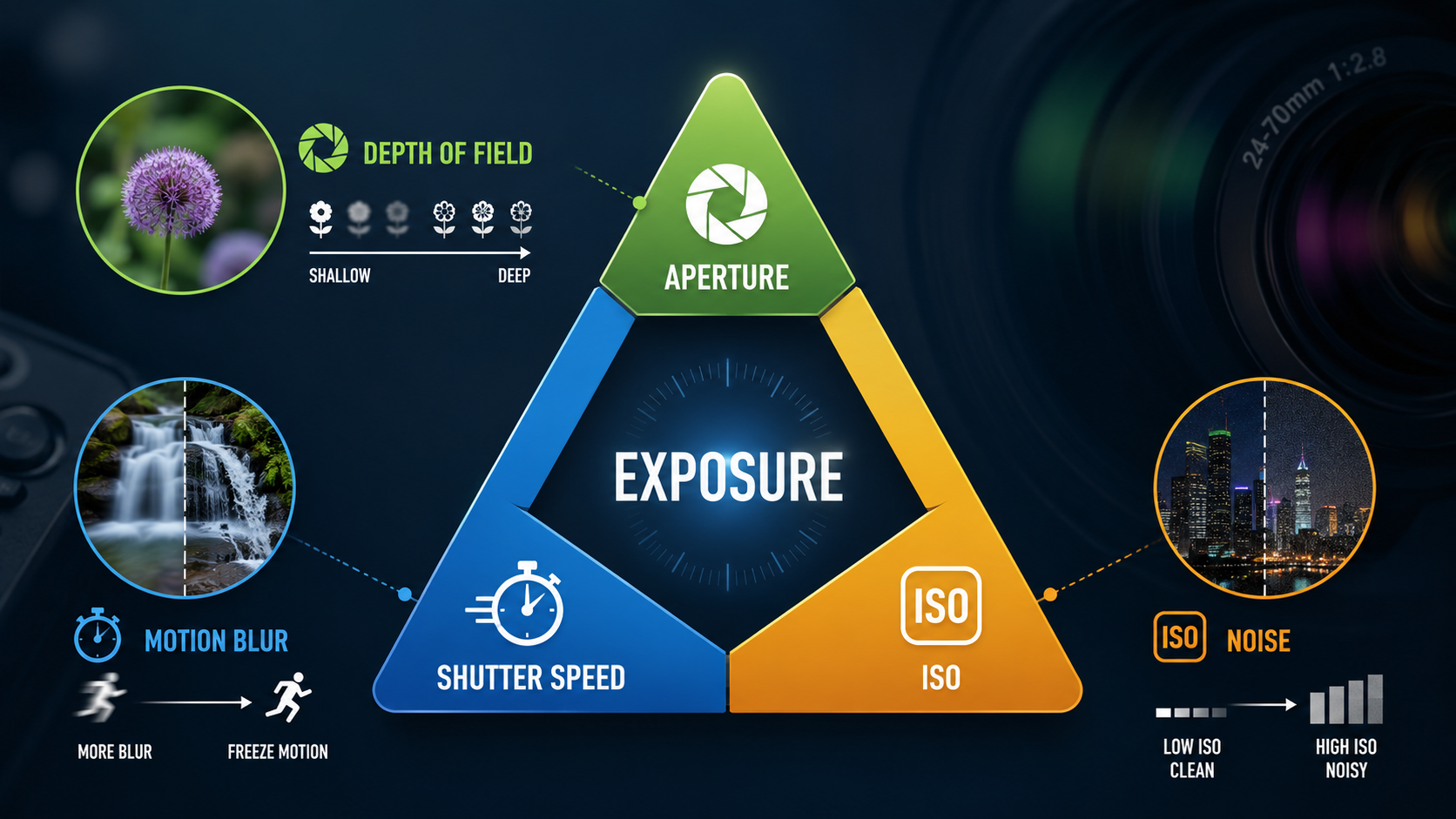
Start with my Exposure Triangle guide if exposure is still confusing.
RAW and your camera histogram
There is an important detail here.
The histogram shown on most cameras is based on a processed preview rather than directly representing untouched RAW data.
Picture styles and white balance can therefore affect the histogram you see.
The camera histogram is still extremely useful, but RAW may retain slightly more information than the preview suggests.
Read my Photography Histogram guide to understand clipping, highlights and tonal distribution.
Should you shoot RAW or JPEG?
If you want maximum editing flexibility and are happy to process your photographs, choose RAW.
If you want smaller files that are ready to share and you are happy with the camera's processing, JPEG may be all you need.
If you are unsure, try RAW + JPEG for a while and compare them.
A simple beginner RAW vs JPEG decision
- I want to edit my photographs: shoot RAW.
- I want maximum image flexibility: shoot RAW.
- I want files ready to share immediately: JPEG.
- I do not want to process images: JPEG.
- I want both: RAW + JPEG.
Common beginner RAW mistakes
Thinking RAW automatically creates better photographs
RAW gives you more information. Composition, light, timing and technique still matter.
Underexposing because RAW can recover shadows
Recovery has limits and can introduce noise.
Ignoring white balance completely
RAW gives you flexibility, but getting close in camera gives you a more useful preview and starting point.
Saving RAW files without a backup
A RAW file is only useful if you still have it.
Important photographs should exist in more than one physical location.
RAW vs JPEG - key points
- RAW retains substantially more image information.
- JPEG is processed and compressed by the camera.
- RAW gives more editing flexibility.
- JPEG files are smaller and ready to use.
- RAW offers much more white balance flexibility.
- RAW usually gives better highlight and shadow recovery.
- RAW still cannot recover genuinely clipped detail.
- RAW + JPEG gives you both versions.
- Neither format makes a photograph good by itself.
Want to understand your camera from capture to finished image?
My beginner photography courses cover RAW and JPEG, white balance, exposure, aperture, shutter speed, ISO, focusing and essential camera controls step by step. You can learn online or through practical one-to-one tuition around Portsmouth.
Explore beginner photography coursesContinue learning photography

Andy Hornby
Photographer, educator and workshop leader with more than twenty-five years of practical photography experience.
Learn with Andy