RAW files give photographers more image information and much more editing flexibility than JPEG files.
But RAW is not perfect.
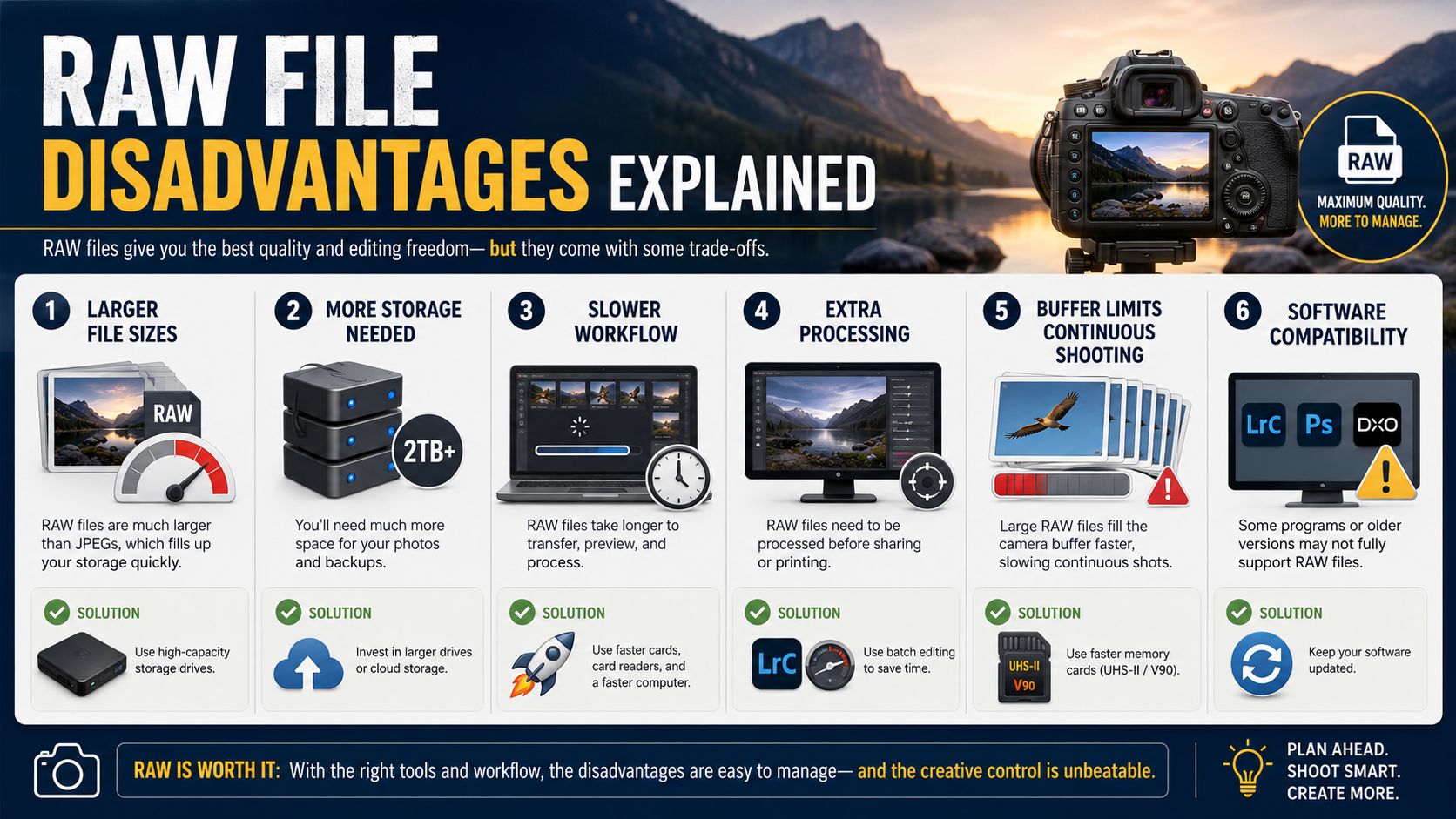
Larger files, extra processing, software compatibility and camera buffer limits are all genuine disadvantages.
The good news is that most of these problems are manageable once you understand them.
What are the disadvantages of shooting RAW?
The main disadvantages are:
- larger file sizes;
- more storage required;
- files normally need processing;
- longer import and backup times;
- potentially shorter continuous-shooting bursts;
- software compatibility issues;
- different RAW formats between camera manufacturers;
- more work before images are ready to share.
None of these automatically make RAW a bad choice.
They are simply trade-offs for the extra image information and editing latitude.
RAW files are much larger than JPEG files
RAW files normally contain substantially more information than a JPEG, so they take up more storage space.
The exact file size varies enormously between cameras.
It depends on:
- sensor resolution;
- bit depth;
- compression method;
- whether RAW compression is lossless or lossy;
- the camera manufacturer's format.
This is why it is better not to rely on one fixed claim such as "RAW files are always three times larger than JPEG".
Some cameras produce a much larger difference, while others use very efficient RAW compression.
RAW requires more memory-card space
Larger files mean fewer photographs fit on the same memory card.
For occasional photography this may not matter much.
It becomes more important when shooting:
- weddings;
- sport;
- wildlife;
- events;
- long trips without easy access to backup storage;
- high-resolution cameras producing very large files.
Solution
Carry enough memory-card capacity for the type of photography you do.
If your camera offers lossless compressed RAW, that can also reduce file size without throwing away the original image information in the way JPEG processing does.
RAW needs more computer storage
The storage requirement continues after the photographs leave the camera.
You need space for:
- the original RAW files;
- catalogues or editing databases;
- previews;
- backups;
- finished JPEG or TIFF exports.
A serious photography archive can therefore become large quite quickly.
Solution
Build storage into your photography workflow rather than waiting until the computer is full.
Important photographs should also exist in more than one place.
A single external drive is storage, but it is not a complete backup strategy by itself.
RAW files normally need processing
A JPEG is usually ready to view and share immediately.
A RAW file is normally intended to be developed or processed first.
You may need to adjust:
- white balance;
- exposure;
- highlights;
- shadows;
- contrast;
- colour;
- noise reduction;
- sharpening.
This gives you control, but it also creates another step in the workflow.
Solution
Use presets and batch processing.
Software such as Lightroom can apply the same starting adjustments to hundreds of images at once.
You do not need to edit every single RAW file individually from scratch.
RAW images can look flat at first
Beginners sometimes open a RAW file and wonder why it looks less colourful or less contrasty than the JPEG shown on the camera.
This is normal.
The JPEG preview has already had camera processing applied.
The RAW file gives the editing software more freedom to decide how the image should ultimately look.
Solution
Apply an appropriate camera profile or editing preset as a starting point.
RAW is not supposed to be a completely finished image straight out of the file.
RAW can slow down your workflow
Larger files can take longer to:
- copy from a memory card;
- import;
- generate previews;
- back up;
- edit on slower computers;
- upload to cloud storage.
High-resolution cameras can make this particularly noticeable.
Solution
Fast memory cards, SSD storage, enough computer memory and an organised import process all help.
Many editing applications can also create smaller proxy or smart preview files for faster editing.
RAW can fill the camera buffer more quickly
When shooting continuously, the camera temporarily stores images in an internal buffer before writing them to the memory card.
RAW files are larger, so the buffer may hold fewer photographs before it fills.
Once the buffer fills, the shooting speed can slow until the camera has written enough data to the card.
This matters most for:
- sport;
- wildlife;
- birds in flight;
- motorsport;
- other long high-speed bursts.
Solution
Use an appropriately fast memory card and avoid holding the shutter down unnecessarily.
Some cameras also offer compressed RAW options that increase buffer capacity.
If immediate delivery and very long bursts matter more than post-processing flexibility, JPEG can sometimes be the better choice.
RAW files are not universally standardised
There is no single camera RAW extension used by every manufacturer.
Examples include:
- Canon CR3;
- Nikon NEF;
- Sony ARW;
- Fujifilm RAF;
- OM System / Olympus ORF;
- Panasonic RW2.
Different camera models can also produce different versions of the same manufacturer's RAW format.
New cameras can create software compatibility problems
When a new camera is released, older editing software may not recognise its RAW files immediately.
RAW support often needs to be added through a software update.
Solution
Keep your RAW processing software reasonably up to date.
Camera manufacturers also normally provide their own software that supports files from their cameras.
What about DNG?
DNG stands for Digital Negative.
It is a RAW container format developed by Adobe.
Some cameras use DNG natively, while some photographers convert proprietary RAW files to DNG.
Conversion can simplify some workflows, but it is not automatically necessary and it is not a magic guarantee that an archive is permanently future-proof.
Many photographers prefer to keep the camera manufacturer's original RAW files.
Others use DNG successfully.
Either approach can be valid depending on the workflow.
RAW files cannot normally be shared directly
Most websites, social networks, messaging apps and clients expect standard image formats such as JPEG.
RAW files are therefore normally exported before delivery.
Solution
Export JPEG versions for sharing while keeping the RAW originals as your editable masters.
RAW requires editing software
You need software capable of interpreting the camera's RAW data.
Common options include:
- Adobe Lightroom;
- Adobe Camera Raw;
- Capture One;
- DxO PhotoLab;
- Affinity Photo;
- camera-manufacturer software;
- other RAW-compatible applications.
Some software is paid while other options are free.
RAW creates more files to manage
If you shoot RAW + JPEG, each photograph creates two separate image files.
That can make:
- imports larger;
- folders more cluttered;
- backups larger;
- duplicate management more complicated.
Solution
Only use RAW + JPEG if you actually need both files.
If you process everything yourself, RAW alone may be simpler.
RAW does not fix bad photography
This is important.
RAW gives you more latitude, but it cannot fix everything.
It cannot completely rescue:
- genuinely clipped highlights;
- severe motion blur;
- missed focus;
- poor composition;
- a moment you failed to capture.
RAW is extra flexibility, not a substitute for good camera technique.
RAW and highlight recovery
RAW generally gives more highlight recovery than JPEG.
But once important highlight information is genuinely clipped, recovery has reached its limit.
Read my guide to exposing for highlights for more on protecting bright detail.
RAW and shadow recovery
RAW usually lets you brighten shadows much more aggressively than JPEG.
However, badly underexposed shadows can still contain significant noise.
Exposure still matters.
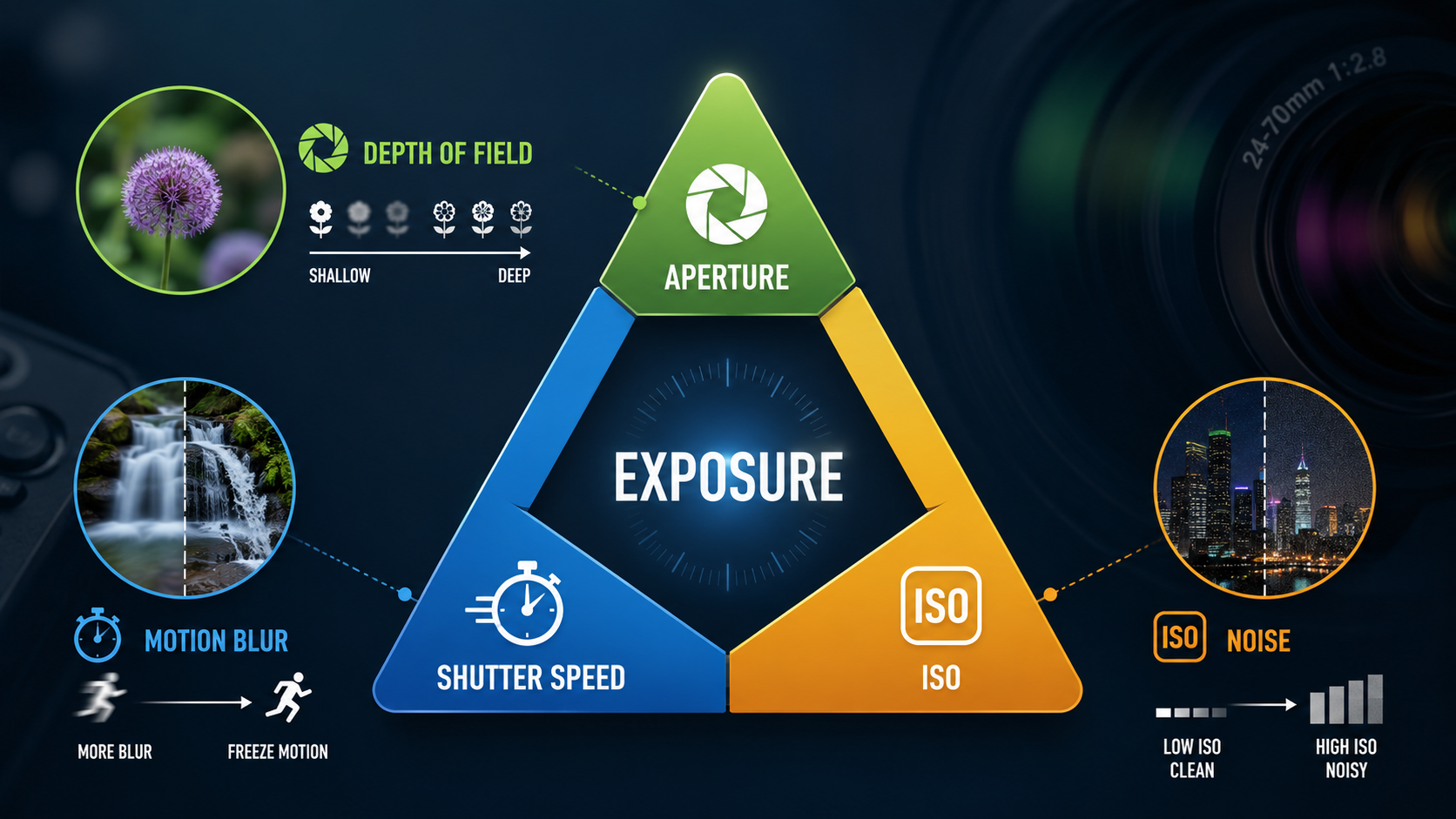
If exposure is still confusing, read my Exposure Triangle guide .
RAW and white balance
One major advantage of RAW is the freedom to adjust white balance afterwards.
But this does not mean white balance should be completely ignored in camera.
A sensible starting white balance gives you a better preview and can make editing quicker.
Read my White Balance guide for Auto WB, Kelvin and colour temperature.
Is RAW worth the extra work?
For many photographers, yes.
RAW is particularly valuable when:
- the photographs are important;
- lighting is difficult;
- you plan to edit carefully;
- you need strong highlight or shadow recovery;
- accurate colour matters;
- you want maximum image flexibility.
When JPEG may genuinely be better
JPEG can be the more sensible option when:
- images must be delivered immediately;
- you do not intend to edit;
- storage space is limited;
- very long bursts are important;
- your camera already produces the exact look you want;
- simplicity matters more than editing latitude.
Choosing JPEG does not make somebody less of a photographer.
Should beginners shoot RAW?
Beginners can absolutely shoot RAW, but they do not have to.
If learning photography already feels overwhelming, JPEG allows you to concentrate on:
- aperture;
- shutter speed;
- ISO;
- focus;
- composition;
- light.
When you are ready to learn editing, RAW becomes an excellent next step.
RAW vs JPEG: read the main guide
This article concentrates on the disadvantages of RAW.
For the full comparison, including image quality, editing, white balance, file sizes and when each format makes sense, read:
RAW vs JPEG Explained for Beginners
A practical RAW workflow for beginners
- Photograph in RAW.
- Copy the files to your computer.
- Back them up before deleting the memory card.
- Import them into your editing software.
- Apply a sensible starting profile or preset.
- Adjust important photographs.
- Export JPEG copies for sharing or printing.
- Keep the original RAW files safely backed up.
Common beginner RAW mistakes
Keeping everything on one drive
One failed drive can destroy the entire archive.
Assuming RAW means exposure no longer matters
Recovery has limits.
Shooting RAW + JPEG without needing both
This doubles the number of files you have to manage.
Never learning a basic editing workflow
RAW files are most useful when you understand how to process them.
Converting everything to DNG without knowing why
DNG can be useful, but conversion should be a deliberate workflow decision rather than something beginners feel they must do.
RAW disadvantages - key points
- RAW files are larger than JPEG files.
- They require more storage.
- They normally need processing before sharing.
- Large RAW files can reduce camera buffer capacity.
- New camera formats may need updated software.
- RAW editing adds another stage to the workflow.
- DNG is optional, not compulsory.
- RAW cannot fix every technical mistake.
- The disadvantages are usually manageable with a good workflow.
Want to learn the whole photography workflow properly?
My beginner photography courses cover RAW and JPEG, white balance, exposure, aperture, shutter speed, ISO, focusing and practical camera control step by step. You can learn online or through one-to-one tuition around Portsmouth.
Explore beginner photography coursesContinue learning photography
RAW vs JPEG
Read GuideWhite Balance
Read GuideExposure Triangle
Read GuideExpose for Highlights
Read Guide
Andy Hornby
Photographer, educator and workshop leader with more than twenty-five years of practical photography experience.
Learn with Andy